How to Embed 3D Models in Websites: The Complete Guide
How to Embed 3D Models in Websites: The Complete Guide
Guides & Tutorials (Getting Started)
9 min
Technical blogger
Aisha Rahman
Updated:
Posted:
Quick Summary: 3 Ways to Embed 3D Models
There are three primary methods to embed 3D content:
Method 1: Hosting Platforms (No-Code). Upload your model to a site like Sketchfab, Spline, or Vectary, then copy and paste the generated <iframe> embed. This is the easiest setup, but it may come with watermarks or subscription limits.
Method 2: <model-viewer> (Low-Code). The industry standard for e-commerce. Use Google’s free open-source web component to add a fast 3D model viewer for website pages with native AR on mobile devices. This is the recommended method for Vivid 3D users.
Method 3: JavaScript Libraries (Advanced). Use Three.js or Babylon.js when you need a fully custom interactive 3D product view, advanced UX, or a complex interactive product configurator. Powerful, but it demands real development time and 3D know-how.
If you’ve ever tried to embed 3D models in website pages and felt like you needed a PhD in “Web Stuff,” you’re not alone. The good n3D to website experiences in a way that fits your team, your budget, and your patience level. In this guide, we’ll cover three practical paths, from copy-paste embeds to a high-performance WebGL 3D viewer, so you can ship a clean 3D model viewer for website pages that customers actually use.
Why Embed 3D Content? (The Business Case)
Let’s be blunt: most product pages still look like a digital brochure from 2012. One hero image, a couple of thumbnails, and a prayer. 3D changes that because it turns “viewing” into “exploring.”
Engagement that isn’t fake. When shoppers can rotate, zoom, and inspect a product, they spend more time interacting with it. Sketchfab (widely used for web-based 3D viewing) has reported that interactive 3D can drive 5–10× longer time spent compared to passive formats in some contexts.
Conversion and fewer nasty surprises. AR features reduce the “it looked smaller online” problem. Shopify has shared data indicating AR can reduce return rates (they cite a measurable reduction in returns in their AR experiences), because shoppers gain confidence before buying.
Visual fidelity that photos can’t match. A photo shows one moment. A 3D model shows the whole story. If you sell anything with depth, texture, or options (fabrics, finishes, parts, sizes), 3D can present it more honestly, and honesty tends to convert.
And here’s the quiet win: 3D assets are reusable. The same “web-ready” model can power your product page, your AR experience, your configurator, and your marketing renders. That’s a lot of output from one well-made asset, which is exactly why platforms like Vivid 3D focus on managing and publishing 3D content at scale.
Method 1: Using a 3D Hosting Platform (Easiest)
If you can embed a YouTube video, you can embed a 3D model with a hosting platform. The concept is identical: upload the media, configure the player, copy an <iframe>, paste it into your site.
How it worpically do three steps:
You upload your model (often GLB or glTF). You adjust viewer settings (camera start angle, background, lighting, annotations). You copy the 3D iframe embed code and paste it into a page or product template.
Popular options
Platforms like Sketchfab, Spline, and Vectary are common starting points for a fast web embed. They’re built to help you publish quickly and share links with minimal development.
The trade-offs (the stuff you notice after launch)
A hosted embed is great for speed, but there are a few gotchas:
Branding and watermarks can appear depending on plan level.
Performance depends on the host and your model optimization.
You’re often “inside their viewer,” meaning customization is limited.
This path is best when you need to prove the idea, launch a demo, or you’re embedding 3D into content pages rather than a high-stakes e-commerce product detail page.
If you’re serious about e-commerce performance and AR, move to Method 2.
Method 2: Using Google’s <model-viewer> (Best for AR)
This is the sweet spot for most teams: low-code, fast, and professional. Google’s <model-viewer> is an open-source web component that lets you embed interactive 3D on the web and seamlessly launch AR on supported mobile devices.
It’s also the recommended method for Vivid 3D users, because it’s a clean standard that plays nicely with production pipelines and web publishing.
The simple code example (yes, it’s really this short)
<model-viewer src="chair.glb" ar camera-controls></model-viewer>
That tiny snippet can give you a fast interactive 3D product view, plus AR modes like Scene Viewer (Android) and Quick Look (iOS), depending on device support and configuration.
What <model-viewer> is, in normal human language
Think of it as a modern, reliable 3Dsite pages that behaves like a native UI component. You drop it into HTML, provide a model file, and it handles rendering, controls, and AR hooks without you building a full 3D engine from scratch.
Why it’s “best for AR” (and what that actually means)
<model-viewer> supports multiple AR modes, including WebXR in the browser, Scene Viewer on Android, and Quick Look on iOS. The AR examples and docs highlight these modes and related attributes.
A practical note from the docs: WebXR typically requires HTTPS, and if you put the viewer in an iframe you may need to allow XR permissions via iframe policy.
Performance perks you’ll care about later
A good 3D experience is not just “it loads.” It’s “it loads fast enough that people don’t bounce.”
<model-viewer> supports lazy loading patterns and user-friendly loading states (like posters) so you can avoid dumping heavy 3D payloads onto every visitor immediately.
It also supports Draco-compressed glTF models, which can dramatically shrink geometry size when used properly.
Where Vivid 3D fits in (without making this a sales brochure)
Here’s the real-world problem: embedding is often the easy part. The hard part is producing, versioning, approving, and publishing hundreds or thousands of models without chaos.
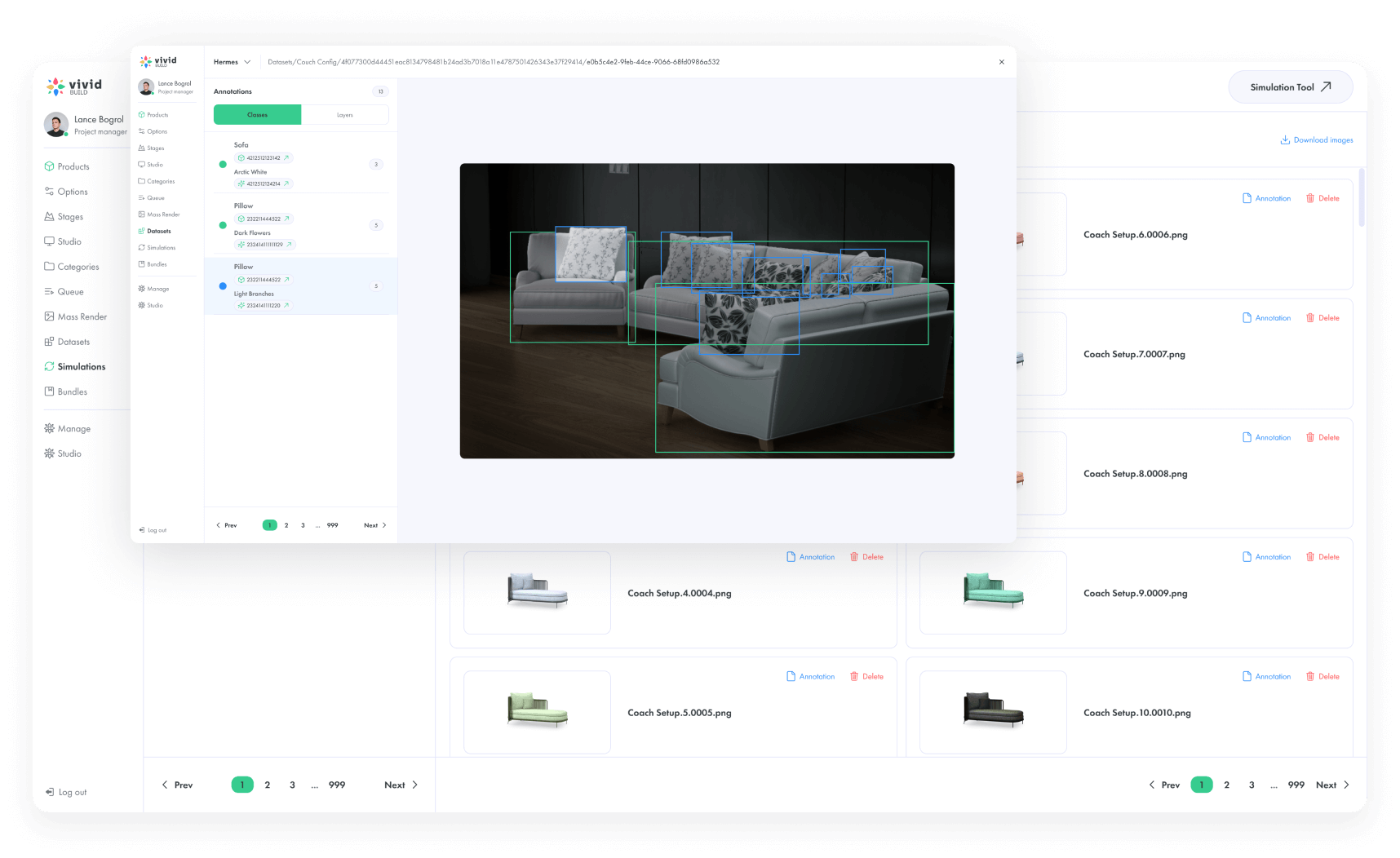
That’s where Vivid 3D helps. Its platform positioning is built around “Build. Manage. Share,” with workflows “from idea to approval,” centralized outputs, and easy publishing/integration.
So yes, you can use <model-viewer> to publish. But if you’re scaling content across categories, regions, and product variants, you also need a system that keeps assets organized, approved, and ready to deploy without ten browser tabs and a spreadsheet that cries at night. Vivid 3D explicitly calls out approval workflows and keeping collaboration in one place.
If Method 2 feels like driving a modern car, Method 3 is building the car. It’s powerful, and you’ll learn a lot, but you’ll also become very familiar with words like “regression,” “shader,” and “why is the lightr Babylon.js when you need:
A custom interactive product configurator with unique UI logic
Advanced interactions, animations, or physics
A fully branded 3D experience that doesn’t look like a standard component
A game-like or tool-like environment (training, simulation, complex visualizations)
The hidden complexity (scenes, cameras, lights)
A JavaScript 3D l the entire 3D world:
A scene (what exists)
A camera (what the user sees)
Lighting (how it looks)
Materials and environment maps (why it looks expensive)
Controls, events, performance tuning (why your laptop fan starts negotiating)
That’s not a dealbreaker. It’s just the price of total freedom.
Three.js vs Babylon.js (quick reality check)
Three.js has a massive ecosystem and is the default starting point for many web 3D teams. Babylon.js is also powerful and often praised for being feature-rich, especially for more engine-like use cases. Either can work. Your deciding factor is usually your team’s experience, your performance targets, and how custom the experience must be.
If your goal is “clean product viewing and AR,” <model-viewer> is usually faster to ship and easier to maintain. If your goal is “custom 3D application,” libraries make sense.
Best File Formats for the Web
The most common embedding failures happen before the embed even starts. They happen when the model format is wrong, too heavy, or not optimized for real-world devices.
glTF / GLB: the web standard
glTF is widely treated as the “JPEG of 3D,” designed for efficient delivery and real-time rendering. GLB is the binary version that packages the model and textures together, which makes it easier to host and embed.
Sirv, for example, explicitly recommends GLB for simpler delivery because it keeps everything in one file and avoids missing-texture issues that can happen with multi-file glTF packages.
USDZ: essential for iOS AR
If AR matters, USDZ matters, because it’s used for iOS AR experiences like Quick Look. Apple’s AR Quick Look documentation describes how it enables users to preview and place 3D content in the real world.
Many workflows use GLB/glTF for web viewing and USDZ for iOS AR, so you cover both major mobile ecosystems.
OBJ/FBX: usually “avoid” for web embeds
OBJ and FBX are common in production pipelines, but they’re not ideal for lightweight, web-ready delivery. They often lack modern PBR material handling in the same standardized way, and they can be heavier and more awkward to optimize for web viewing. For embedding, glTF/GLB plus USDZ is the practical combo most teams land on.
Optimization Tips for Smooth Loading
A beautiful 3D model that loads slowly is like a luxury storefront with a stuck door. People don’t admire it. They leave.
Here are the optimizations that matter most for optimizing 3D models for web performance.
Use Draco compression (smartly)
Draco compresses mesh geometry, shrinking file size without changing what users see. <model-viewer> supports Draco-compressed glTF models, which is one reason it performs well when your pipeline is set up correctly.
Keep textures under control
Textures are often the real weight of a model. If you ship 8K textures to mobile, your conversion rate will file a complaint.
A practical rule: keep textures under 2K unless you have a strong reason, and consider modern compressed texture workflows where possible. (Your users don’t need “microscope quality” to buy a chair.)
Lower poly count for moPUs are impressive, but they are not magical. If your model is meant to run on phones, build and decimate with that in mind. You can still achieve high visual quality with good normal maps and materials, rather than brute-force geometry.
Test like a slightly paranoid person
Test on real devices, real browsers, and real network conditions. Also test inside the actual page layout you’re using (product gallery, tabs, sliders). 3D can behave differently when it’s squeezed into a carousel with five other scripts fighting for attention.
Conclusion
If your goal is to embed 3D models in website pages quickly, start with a hosting platform. If you want the best balance of speed, control, and AR, use Google’s <model-viewer>. If you’re building a fully custom 3D experience or configurator app, go with Three.js or Babylon.js.
And if you’re doing this at scale, across real product catalogs, the biggest upgrade is not “a cooler viewer.” It’s a workflow that keeps content moving from creation to approval to publishing without breaking your team.
That’s the quiet strength of Vivid 3D: it’s designed as an AI-powered platform for creating, managing, and publishing 3D content, with centralized outputs, approval workflows, and “embed anywhere” integration via API.
So yes, ship the embed. But also set yourself up so next month’s 200 new SKUs don’t turn into a 2 a.m. emergency meeting titled “Why Is The Sofa Pink.”
Ready to optimize your assets? Check out Vivid 3D workflows and make your 3D pipeline feel less like herding cats and more like shipping a product.