3D Content Management Platform

Manage projects, 3D assets, production tasks, artists, versions, reviews and approvals in one connected 3D content management system. Move every
asset from brief and creation through quality control and client approval, then publish or reuse approved content across the Vivid 3D Asset Library,
Vivid 3D. Studio, Vivid 3D.Player, product configurators, eCommerce and visual AI workflows.
Trusted by teams managing complex 3D product catalogues

Interactive 3D by the numbers

1
Connected Dashboard
Projects, assets, tasks, versions and approvals
3
Core Workflow Stages
Ingest, process and publish
4+
Delivery Destinations
Asset Library, Studio, Player, commerce and AI workflows
Vivid 3D is a 3D content management platform for organizing, producing,
reviewing and publishing complex visual content. The 3D CMS connects
assets, artists, tasks, versions, comments and approvals in one system,
helping product teams manage 3D content at scale and move approved
models into eCommerce, rendering, configuration, simulation
and visual AI workflows.

Why 3D Content Management Matters

Large 3D programmes become difficult to control when projects, reference files, feedback, models and approvals
are spread across task tools, cloud folders, spreadsheets and chat.
Remove Bottlenecks in 3D Production
Keep briefs, references, tasks, artist assignments, reviews and decisions connected to the same asset. Give teams a clear view of what is ready, what is blocked and what needs review before it delays delivery.
Keep Content Consistent at Scale
Apply shared naming, metadata, production stages and quality requirements across product lines, projects and external partners. Reduce duplicate work and prevent outdated or unapproved files from reaching customer-facing experiences.
Publish 3D Content Faster
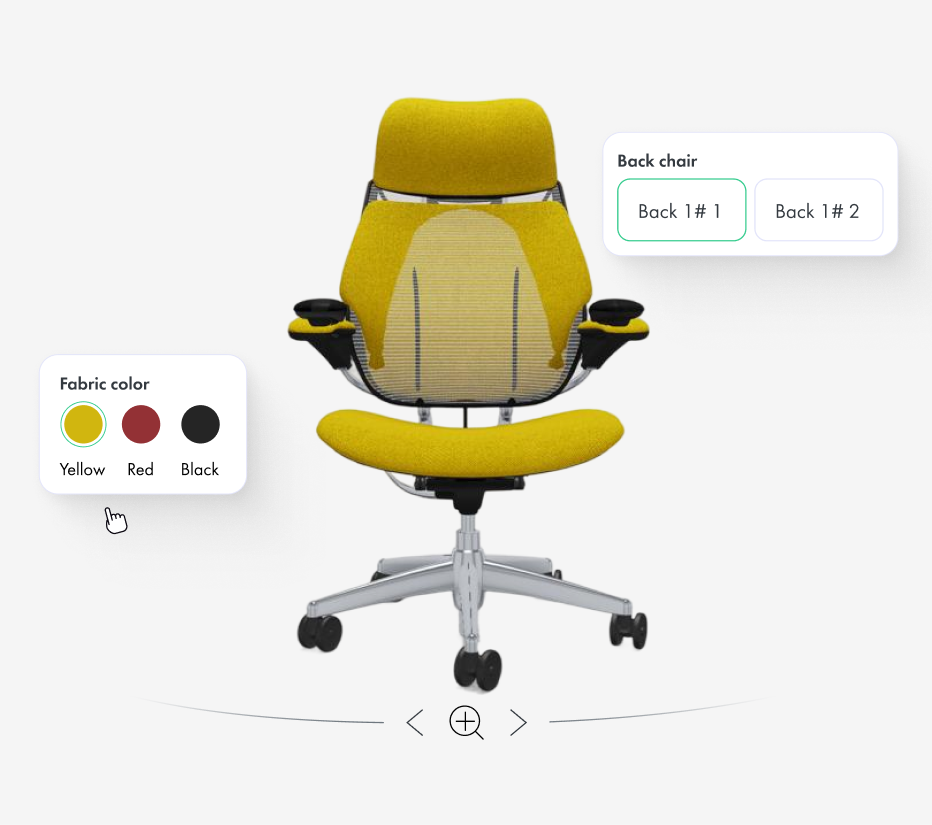
Move approved models directly into the next workflow instead of rebuilding handoffs manually. Reuse content across the Asset Library, Vivid.Studio, Vivid.Player, configurators, rendering, eCommerce and selected visual AI applications.

Who Is It For?

eCommerce & Retail

Product models, renders and variants for pages and catalogues
eCommerce & Retail
Explore

Furniture & Homeware

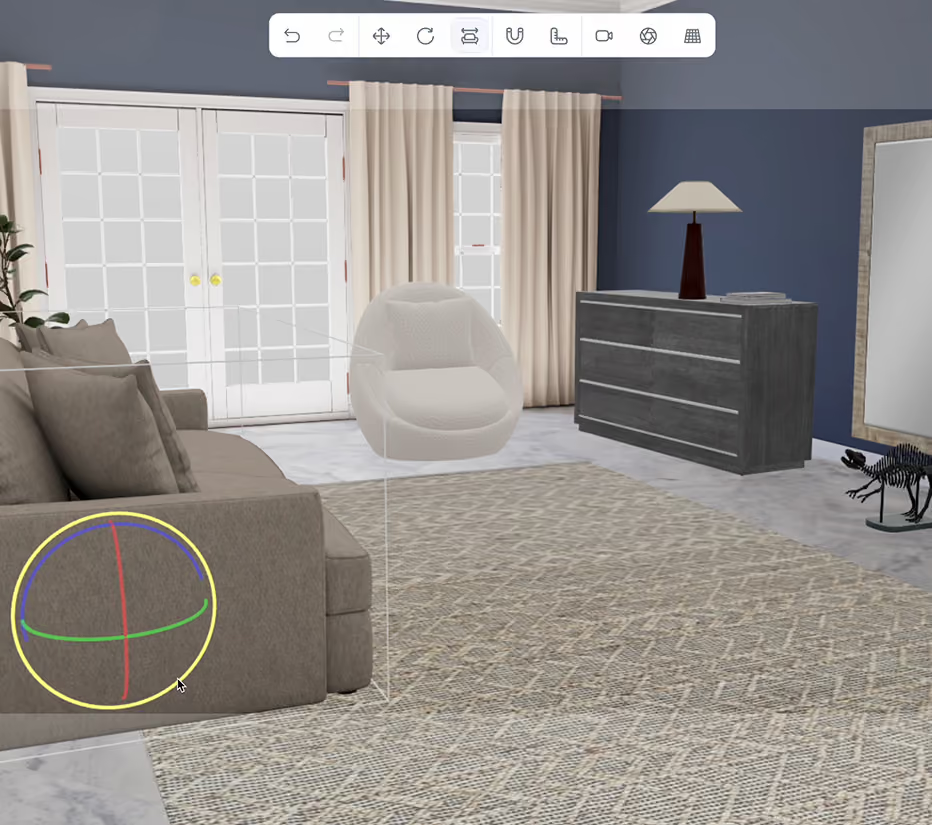
 Collections, materials, lifestyle renders, configurable options
Furniture & Homeware
Explore

Manufacturing & Industrial

CAD-derived models, technical assets, sales content
Manufacturing & Industrial
Explore

Robotics & Physical AI

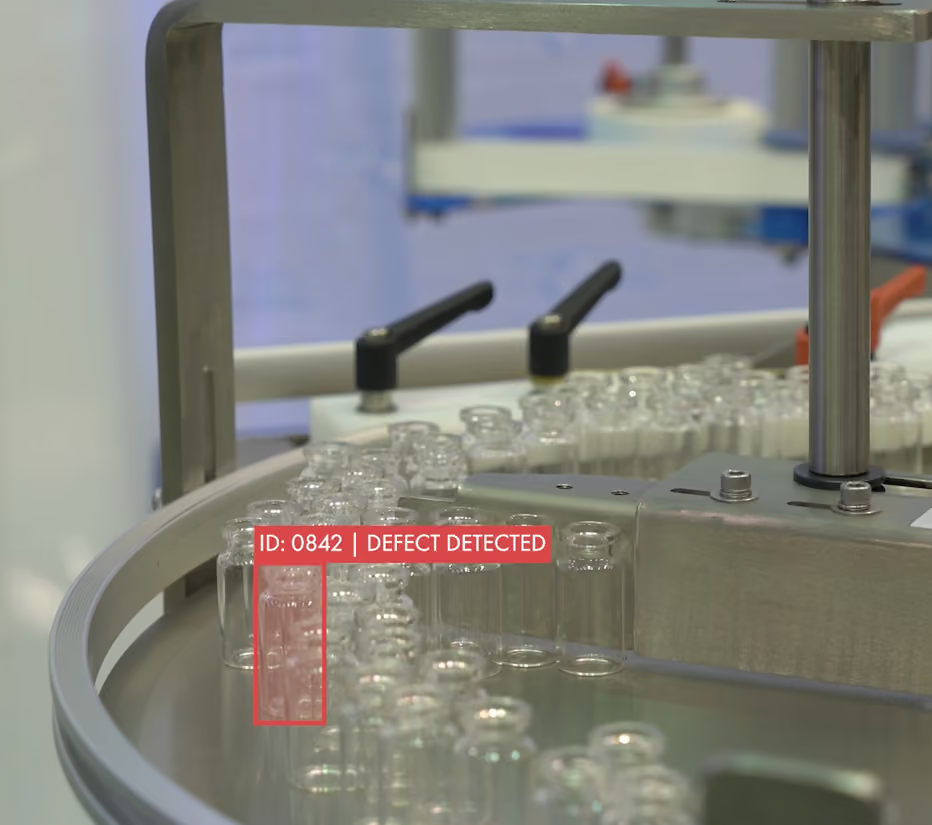
Objects, environments and training assets for visual AI
Robotics & Physical AI
Explore

3D Product Configurator Case Studies

See how Vivid 3D supports structured asset production, large product catalogues and reusable
visual content.
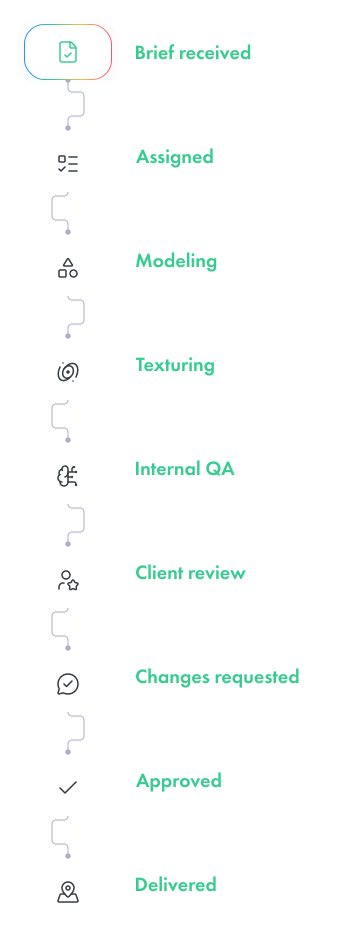
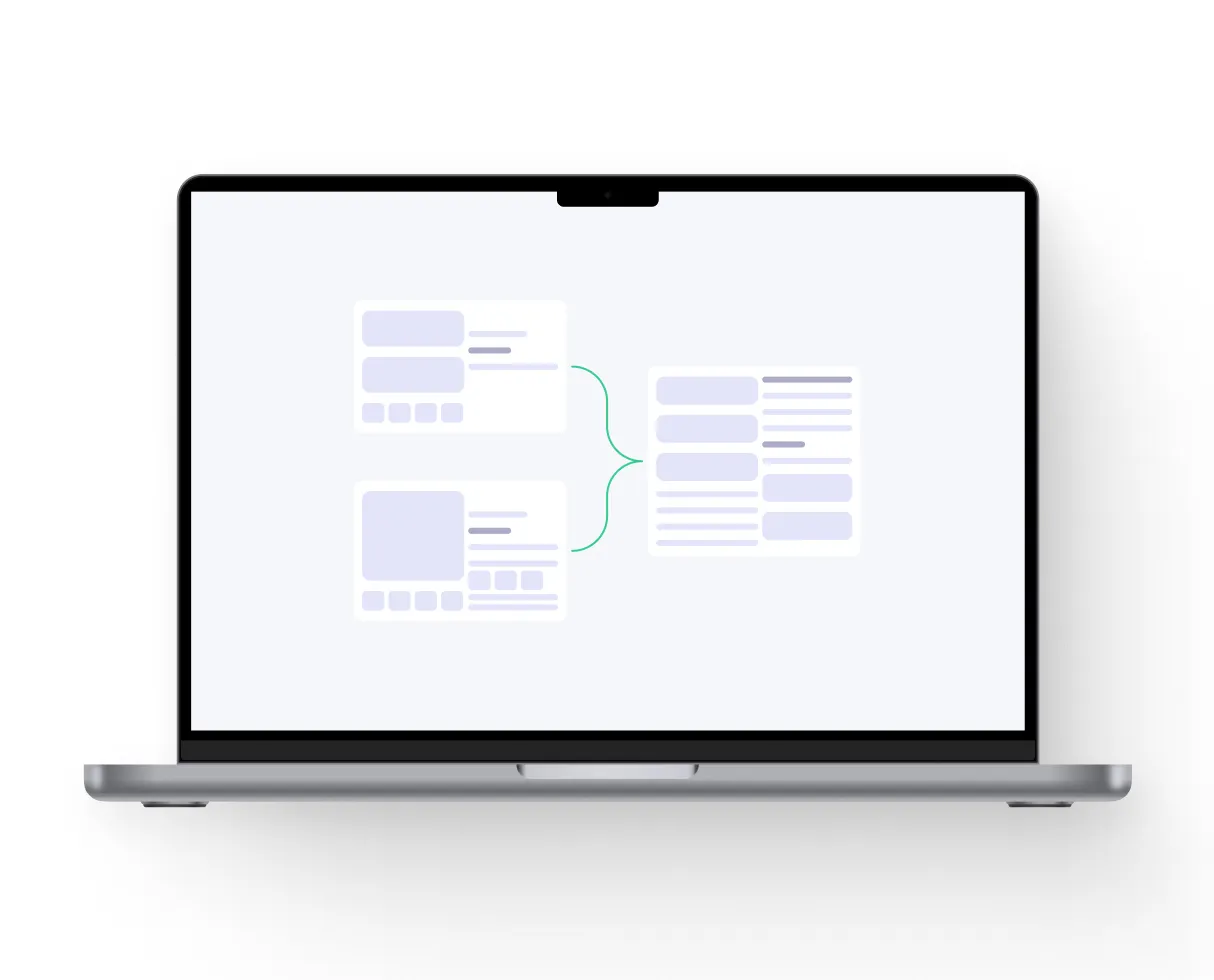
1. Pipeline Automation
2. Review and Approval
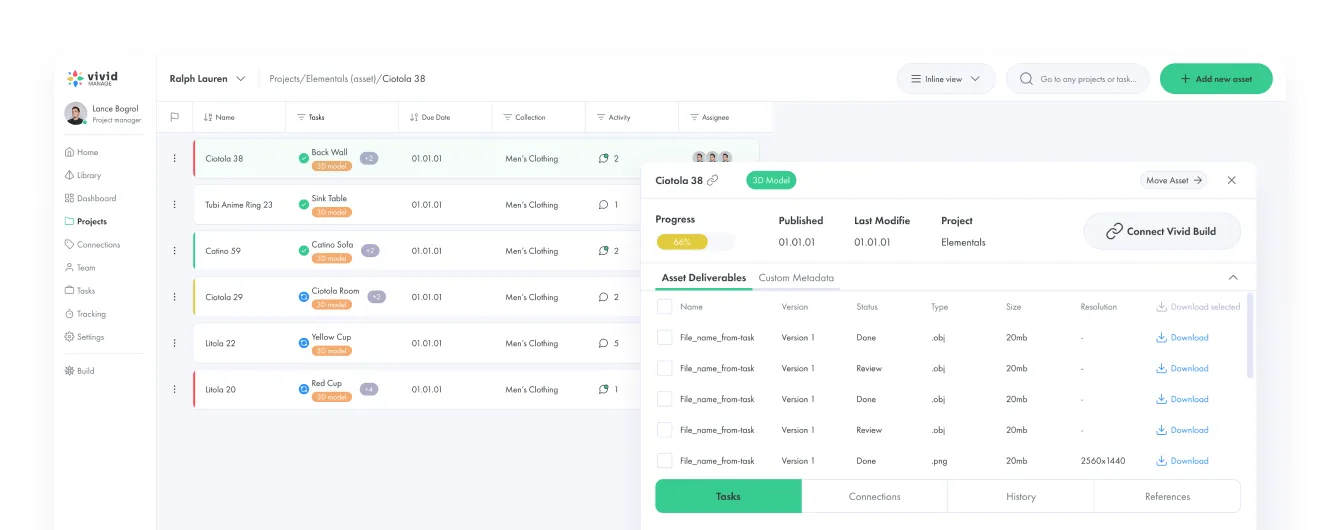
Inspect the asset in a browser, compare it with references, add consolidated comments, request changes and approve the correct version. Sketch Mode lets reviewers annotate directly on the asset preview, and Version Control keeps every submitted revision connected to the same asset with a clear current file.
3. Status Tracking
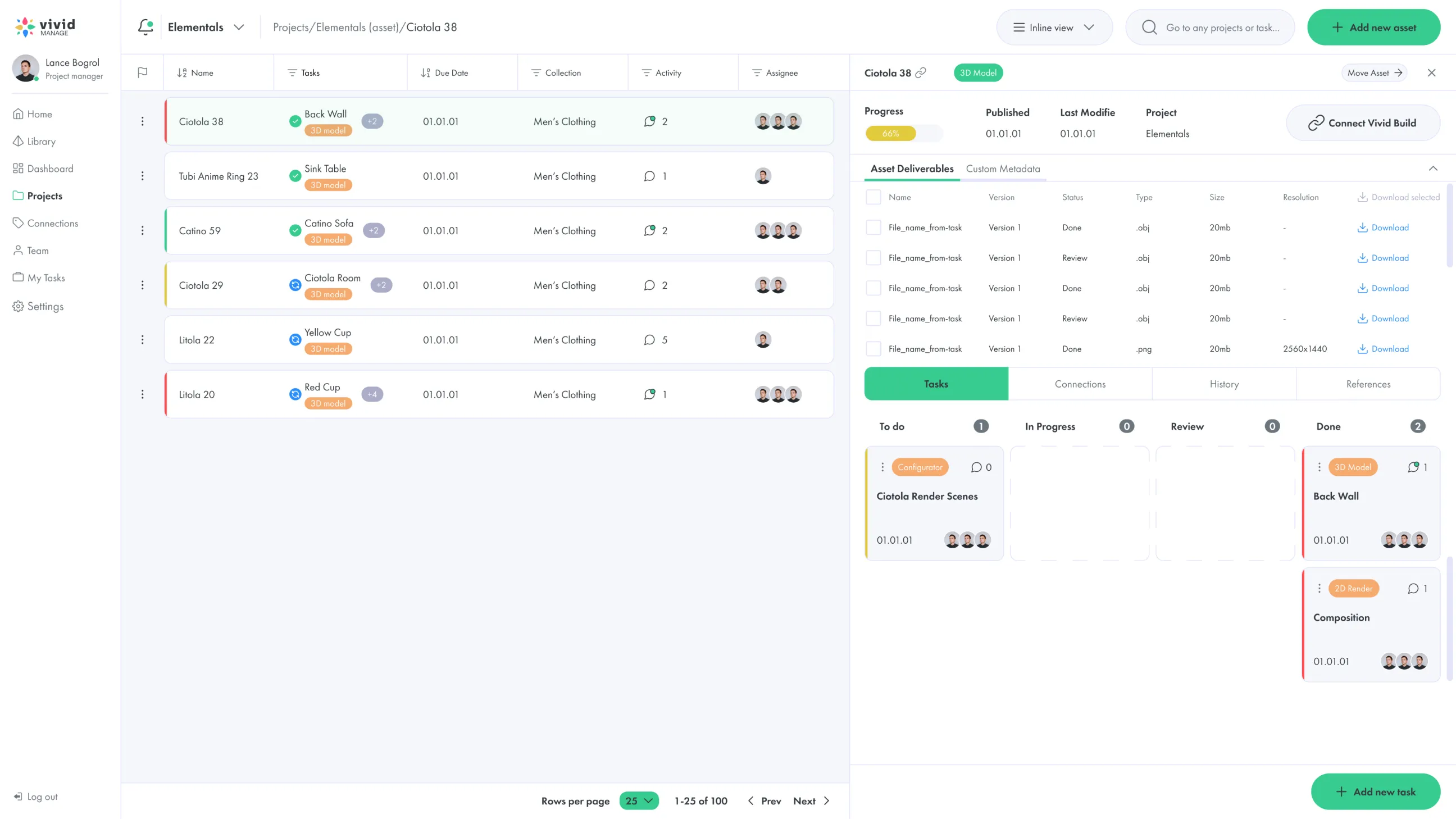
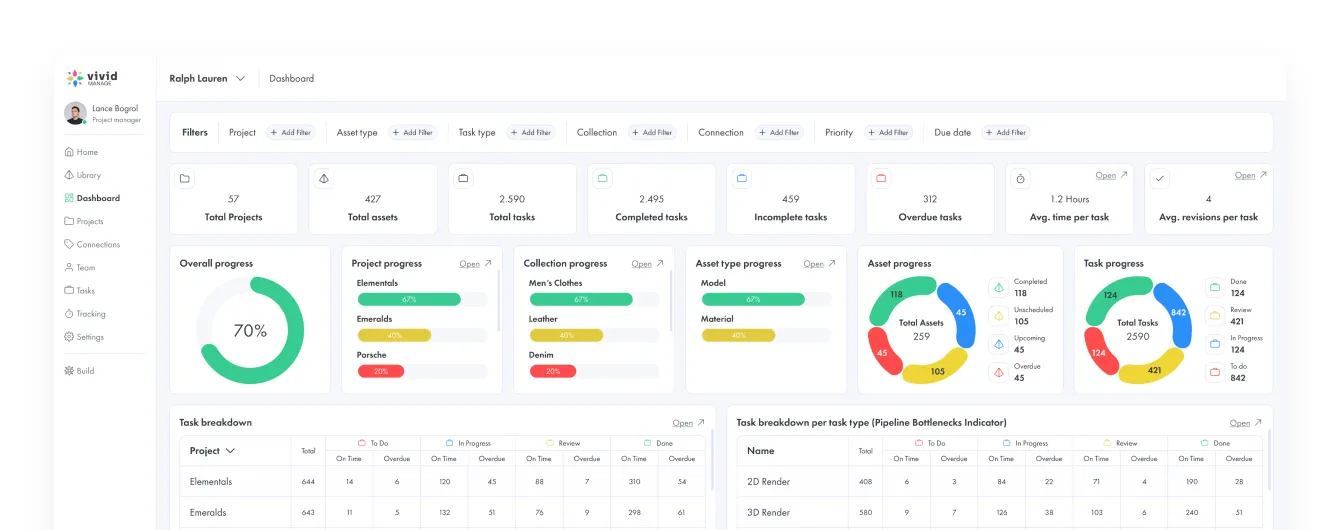
Monitor every project, asset and task from one interactive production dashboard: assets awaiting review, overdue tasks, work in progress, blocked assets, current assignments and approved content. Filter by project, client, artist, status, due date or category.

Centralized Control from Upload to Publish

Manage the full 3D content lifecycle without separating project management, visual review, asset
delivery and publishing into disconnected systems.
Single Dashboard
Access projects, assets, tasks, team members, deadlines, comments and
approval statuses from one workspace, and open any asset to review its

current version, references, comments and production history. Answer the
essential questions: what is on schedule, what is blocked, what is waiting for
client review and what is approved and ready to publish.

Roles and Permissions
Give internal teams, external artists, agencies and client reviewers access to
the projects and actions relevant to their responsibilities - from administrator
and production manager to 3D artist, QA reviewer, client approver and
read-only user. Keep external reviewers focused on the assets they need to
approve without exposing unrelated projects.

Integrations &
Compatibility

Connect your 3D CMS with product data, eCommerce, creative production and publishing environments through APIs, imports, exports, embeds or custom implementation.
Images & outputs:
PNG
JPG
WebP
Texture packages
Reference images
Render bundles
3D & real-time workflows:
PlayCanvas
Three.js
Unity
Unreal Engine
Custom WebGL
Custom rendering
Simulation environments
Supported 3D formats:
GLB
glTF
OBJ
FBX
USDZ
Supported CAD conversion
Connected Vivid 3D products:
3D Asset Library
Vivid.Studio
Vivid.Player
Vivid.Build
3D Product Viewer
Synthetic Data for Computer Vision
Commerce & content platforms:
Shopify
Adobe Commerce
WooCommerce
Salesforce Commerce Cloud
Headless commerce
PIM
CMS
DAM
PLM
Internal product databases

Supported 3D formats:

GLB
glTF
OBJ
FBX
USDZ
Supported CAD conversion

Image & render formats:

 PNG
JPG
WebP
Transparent backgrounds
Multi-angle render bundles

Connected Vivid 3D products:

Vivid 3D. Studio
Vivid 3D. Player
Vivid 3D. Build
3D Content Workflows
Publishing and Integration
Synthetic Data for Computer Vision

Connected systems:

PIM
DAM
PLM
CPQ
ERP
CMS
Сloud storage
Internal product databases

Platforms & destinations:

Shopify
Adobe Commerce
WooCommerce
Salesforce Commerce Cloud
PIM/CMS
Unity
Unreal Engine
Blender
Maya
Сustom WebGL
Сustom APIs

How 3D Content Management Works

Book a Demo
Step 1

Ingest Assets

Create a project and add product records, 3D models, references and requirements. Assign production tasks, artists, deadlines and expected outputs.
Step 2

Process and Review

Move assets through modeling, materials, QA, visual review and revision. Collect comments, compare versions and approve the correct deliverable inside the same workflow.
Step 3

Publish Everywhere

Move approved models and outputs into the Asset Library, Vivid.Studio, Vivid.Player, configurators, eCommerce, rendering pipelines and selected visual AI workflows.

Why Vivid 3D

A product-aware 3D DAM connected to content production, configuration, visualization and AI workflows.
Built to Scale
Manage a focused product collection or large programmes with thousands of models, materials, variants and outputs, coordinating internal specialists, distributed artists, agencies and client reviewers through one repeatable pipeline.
Fits Your Workflow
Adapt projects, production stages, metadata and review processes to your organization, and connect the platform with existing tools through APIs, imports, exports and implementation support.
Secure and Reliable
Control access to projects, files, versions and publishing actions by responsibility, keeping production history, comments and approvals connected to the correct asset instead of scattered across tools.

3D Product Configurator Case Studies

See how Vivid 3D supports structured asset production, large product catalogues and reusable
visual content.

FAQ

What is 3D content management?

3D content management is the process of organizing, producing, reviewing, approving and publishing 3D models and related visual files. It connects assets with production tasks, metadata, versions, feedback and delivery workflows.

What is a 3D CMS?

A 3D CMS is a content management system designed for three-dimensional assets. It helps teams manage 3D models, textures, renders, versions, production status and publishing destinations from one connected platform.

How is a 3D CMS different from a 3D DAM?

A 3D DAM primarily focuses on storing, searching, versioning and reusing approved assets. A 3D CMS manages the broader content lifecycle, including projects, tasks, production stages, reviews, approvals, integrations and publishing.

How do you manage 3D content at scale?

Use a central structure for projects, assets and tasks, define consistent metadata and production stages, and keep every review and version connected to the correct asset. Automation and integrations move approved content into downstream platforms without repeated manual handoffs.

Can I automate 3D content workflows?

Repeatable stages, assignments, notifications, metadata exchange and publishing actions can be automated according to the selected workflow and integrations. The exact automation depends on your production systems and implementation requirements.

Does the platform integrate with my existing tools?

Vivid 3D supports integrations through APIs, imports, exports and custom implementation. Connections may include commerce platforms, PIM, DAM, CMS, PLM, real-time engines and internal enterprise systems.
Need training data
or visual data at scale?