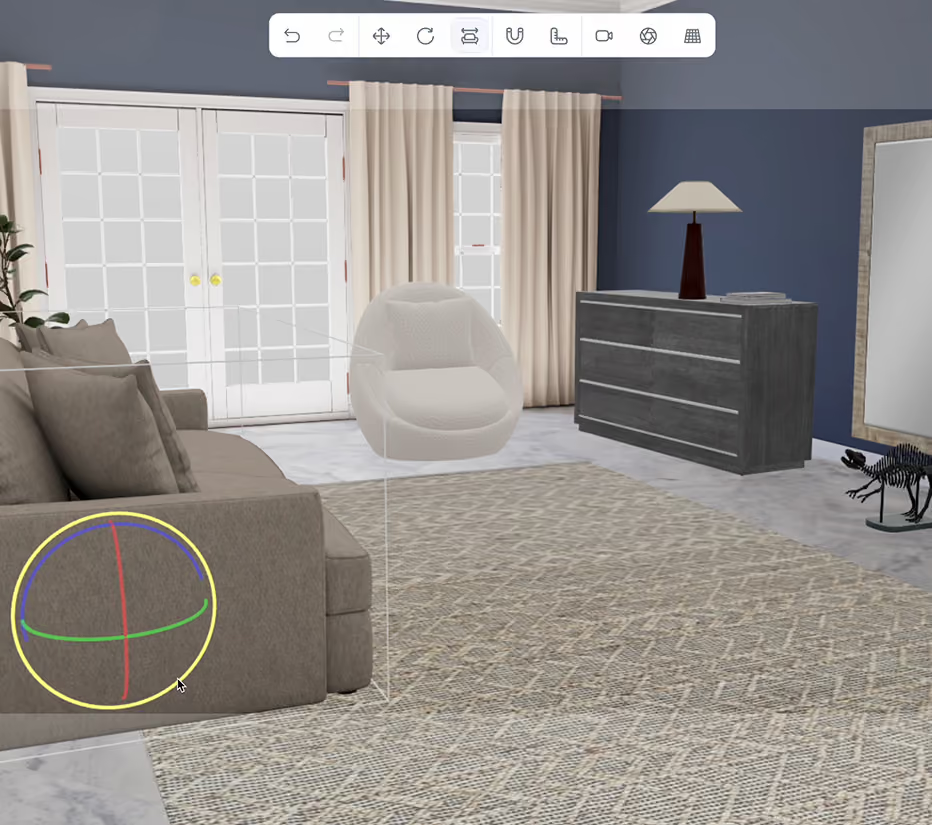
3D Product Configurator

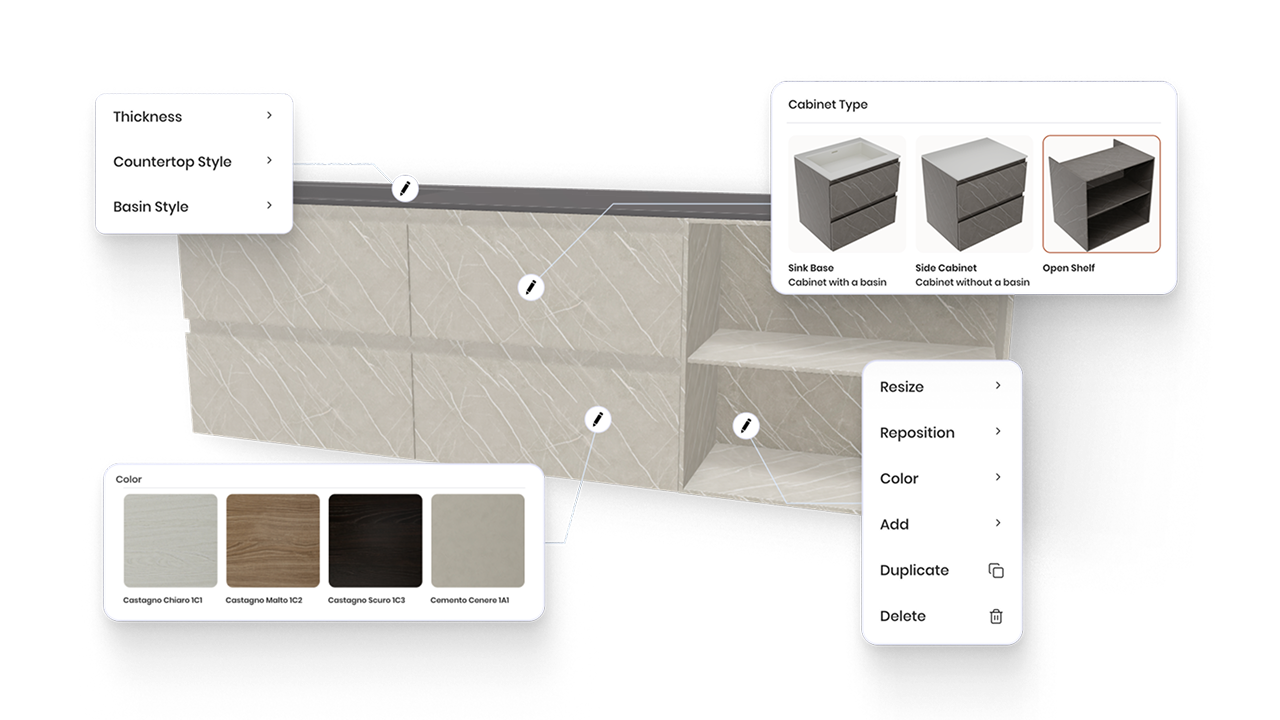
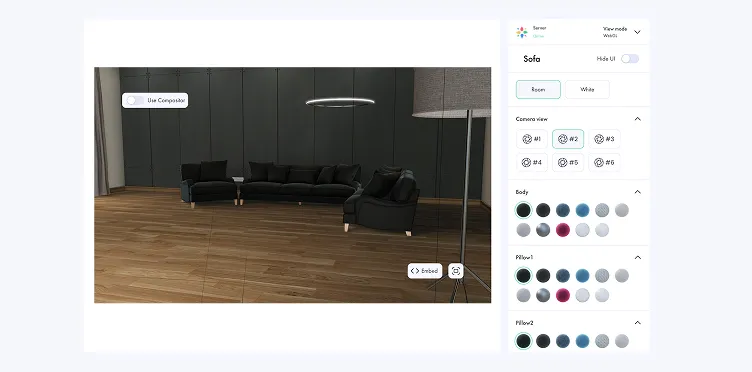
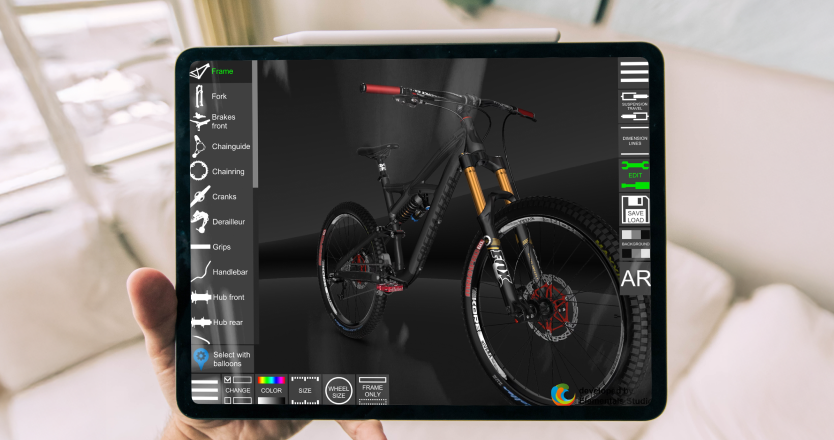
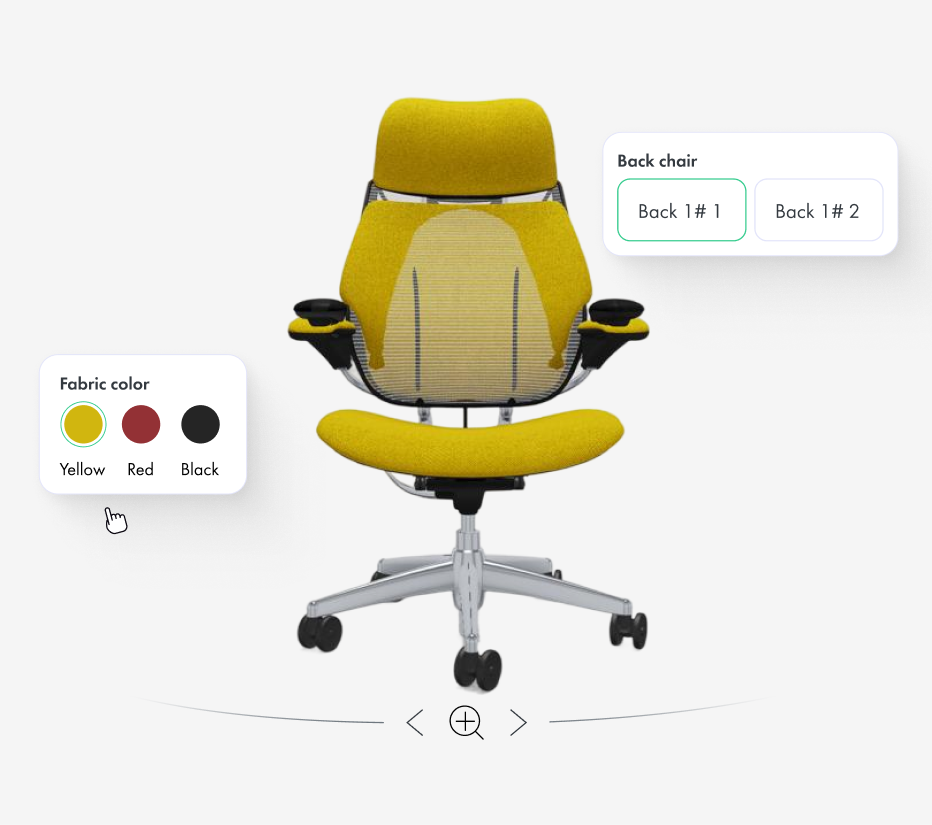
Create interactive configuration experiences where customers select products, components, colours, materials and options while seeing every change

instantly in 3D. Vivid.Build centralizes product rules, variants, scenes, cameras and rendering logic, then powers Vivid.Player, Vivid.Studio, configurators,
eCommerce and visual AI workflows from one connected product definition.
Trusted by teams managing complex 3D product catalogues

Interactive 3D by the numbers

150+
Product configurators
Integrated into the corporate platform
1M+
Product renders
Powered by the Vivid 3D platform
1K+
Products and SKUs
Visualized in a large furniture programme
A 3D product configurator is interactive software that lets customers build,
customize and visualize a product before purchase. Powered by Vivid.Build,
the Vivid 3D platform connects product options, rules, variants, scenes and
visual outputs to create real-time configurators for eCommerce, furniture,
manufacturing and other complex product industries.

Why a 3D Product Configurator

Help customers understand complex products, explore valid options and move
from discovery to purchase with greater confidence.
Let Customers Build Their Own Product
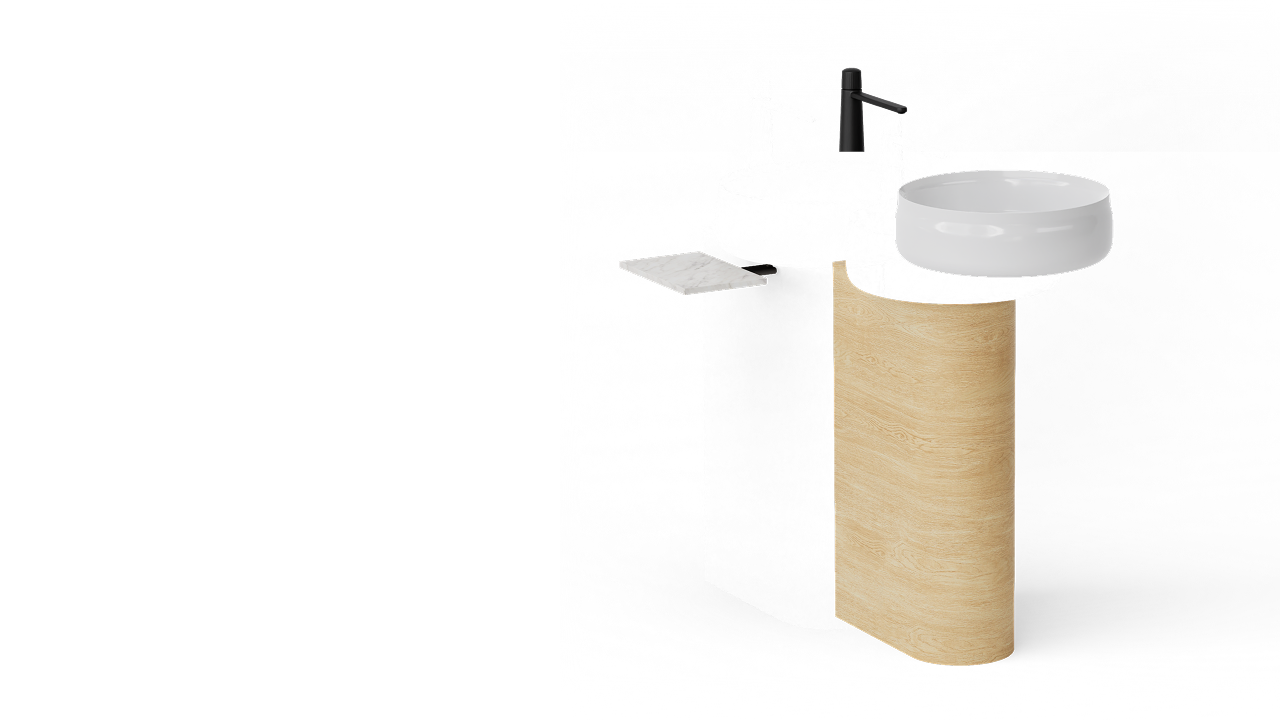
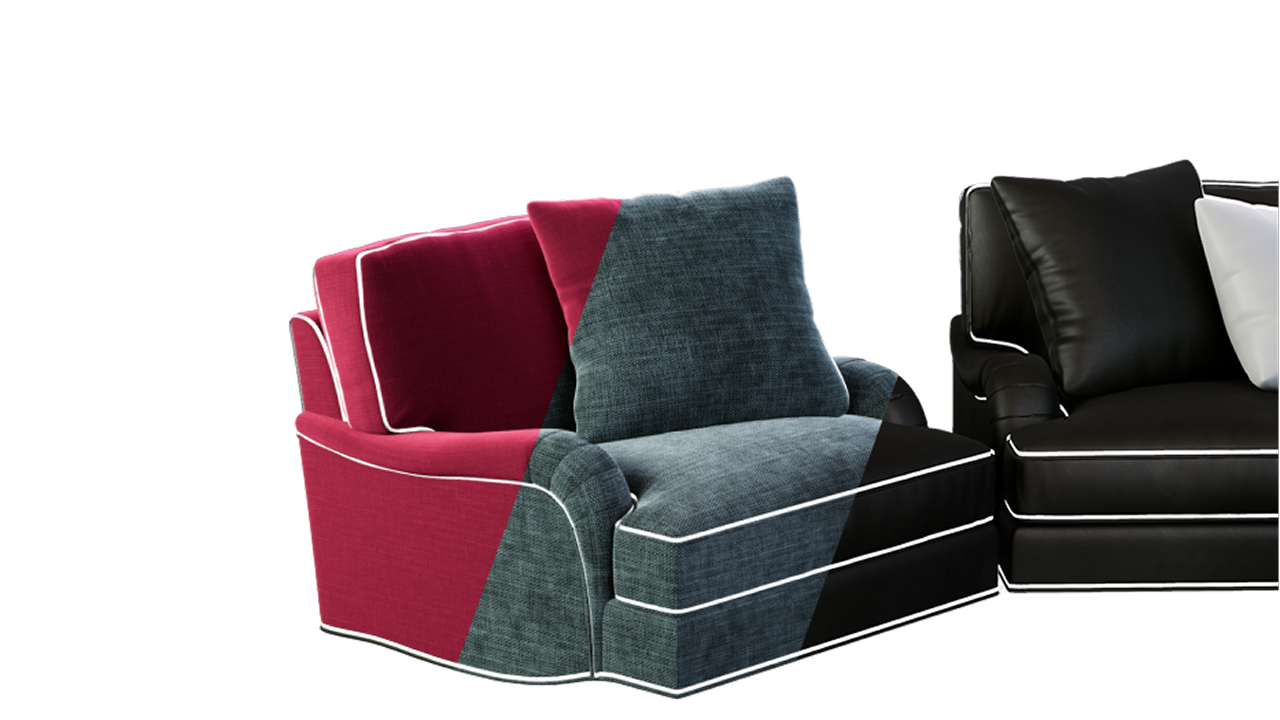
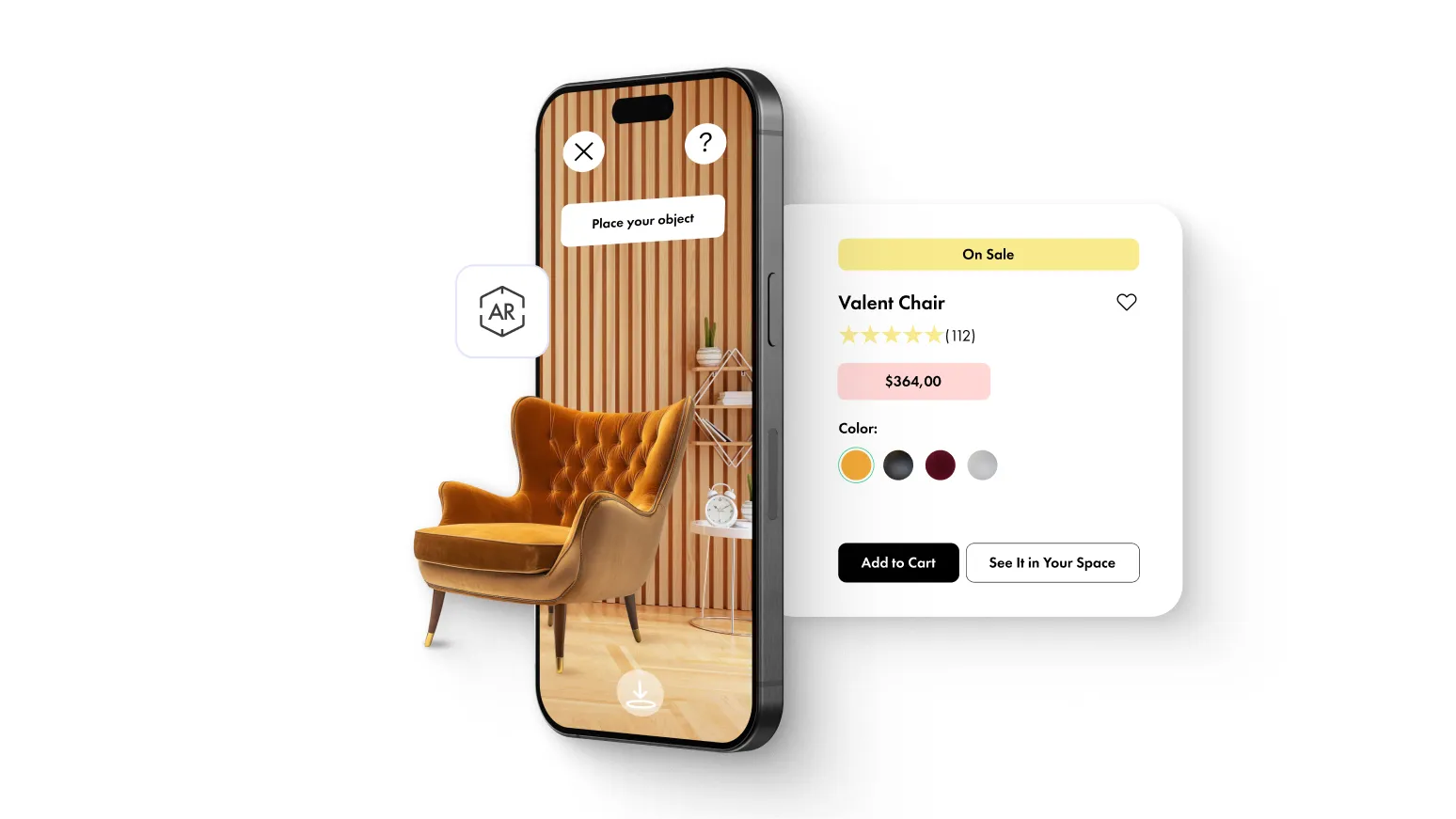
Give customers control over colours, materials, sizes, components and accessories. Every selection updates the visual experience, so buyers understand exactly what the final product will look like.
Reduce Returns and Quoting Errors
Guide users through compatible options and prevent invalid combinations. Connect configuration logic with product data, pricing or quoting workflows to reduce manual interpretation and ordering mistakes.
Increase Average Order Value
Present compatible upgrades, accessories, materials and bundles inside the same guided experience, helping customers discover relevant options without navigating multiple product pages.

Build Rules,Variants and Pricing

Create one structured product definition and use it across every customer-facing and internal visual workflow.
Configuration Rules and Dependencies
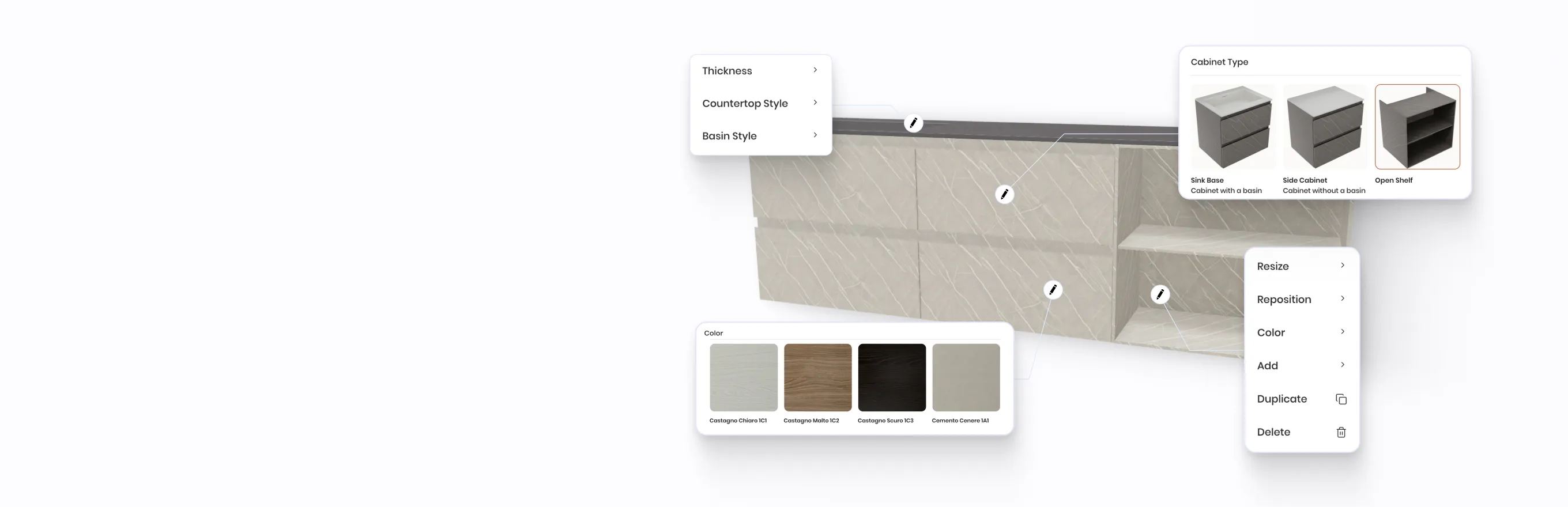
Define which options are available, required, compatible or excluded - valid combinations, required components, dependent and conditional choices, incompatible materials and market-specific availability. Guide customers toward products that can actually be ordered, manufactured or delivered.
Variant and Option Logic
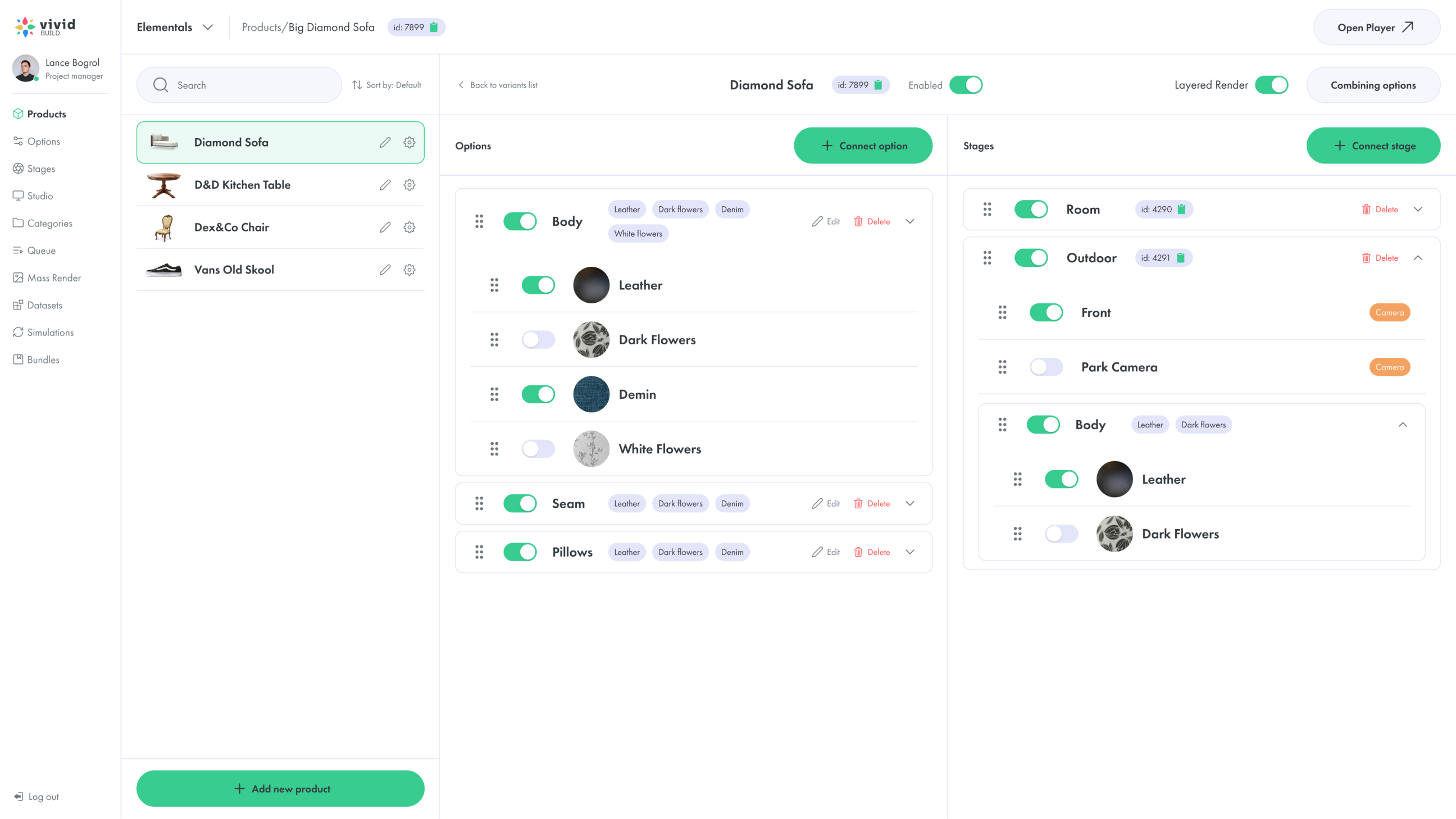
Create products and assign colours, materials, finishes, sizes, components and accessories, organized into categories with one consistent structure per channel (Category → Product → Option → Choice → Variant → Rule → Visual asset). Variant logic powers configurators, Vivid.Player experiences, Vivid.Studio scenes and automated rendering. Contextual link: Manage related assets in the 3D Asset Library
Real-Time Pricing and CPQ Connections
Update pricing, quote information or order summaries as customers change the configuration. Vivid.Build connects a valid visual configuration with commerce pricing, CPQ, ERP or dealer pricing, quantity rules, upgrades, quote requests and cart/checkout workflows, staying synchronized with the connected system. Supporting line: Configure visually. Price accurately. Continue directly to quote or checkout.

Configure Once, Use Every Product Everywhere

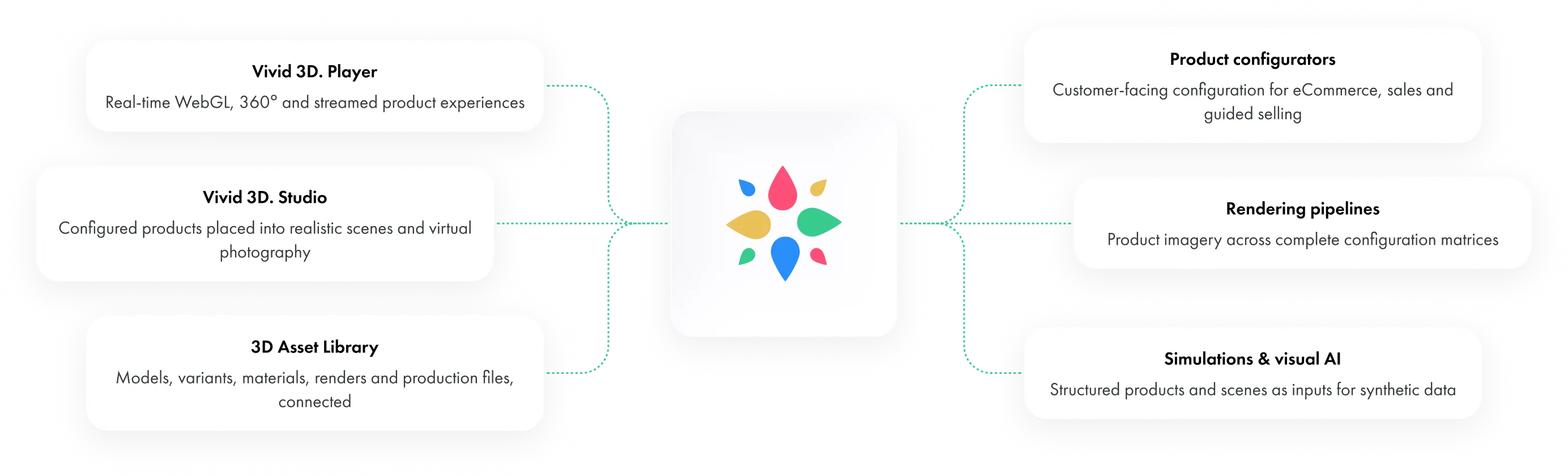
Vivid.Build is the central product configuration and visual data layer of the Vivid 3D platform. Set up
products, variants, metadata, cameras, environments, stages and rendering rules once, then reuse
them across every connected tool:

From Configuration to Content at Scale

Turn one structured product definition into scenes, bundles and visual output at scale.
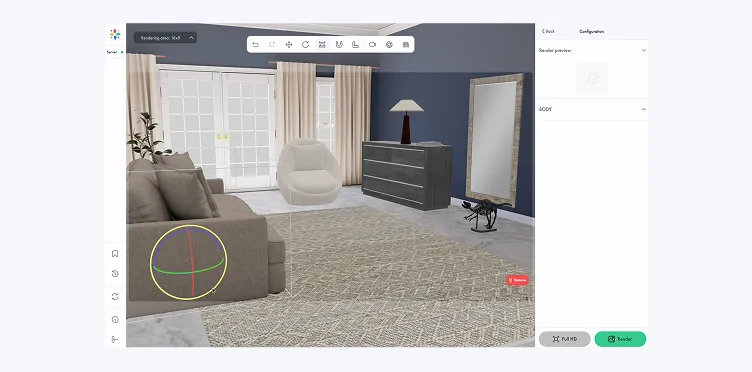
Scenes, Cameras and Stages
Store approved camera positions (position, rotation, field of view, zoom, purpose), connect products with studio backgrounds, lifestyle rooms and simulation scenes, and group elements into stages that control which components and environments appear in each experience or output.
Multi-Product Bundles
Combine products, compatible components and environment presets into reusable configurations - sectional sets, complete collections, room packages, kits and cross-sell packages - usable inside a configurator, Vivid 3D.Studio scene or render workflow.
Automated Rendering & Structured Data
Generate product renders, transparent images, material swatches, multi-angle and 360° views, plus catalogue and campaign formats. Reusable layered assets reduce repeated rendering and support synthetic data and computer vision workflows.

Integrations &
Compatibility

Connect Vivid.Build with commerce, product data, pricing and enterprise systems through APIs, imports, exports, embeds or custom implementation.
eCommerce platforms:
Shopify
Adobe Commerce / Magento
WooCommerce
Salesforce Commerce Cloud
Custom headless commerce
Enterprise systems:
PIM
ERP
CPQ
CRM
DAM
PLM
DAM
CMS
Internal product databases
Dealer systems
Development options:
REST API
JavaScript
React
Iframe
Webhooks
Configuration JSON
custom SDK
Supported 3D formats:
GLB
glTF
OBJ
FBX
USDZ
Supported CAD conversion

Supported 3D formats:

GLB
glTF
OBJ
FBX
USDZ
Supported CAD conversion

Image & render formats:

 PNG
JPG
WebP
Transparent backgrounds
Multi-angle render bundles

Connected Vivid 3D products:

Vivid 3D. Studio
Vivid 3D. Player
Vivid 3D. Build
3D Content Workflows
Publishing and Integration
Synthetic Data for Computer Vision

Connected systems:

PIM
DAM
PLM
CPQ
ERP
CMS
Сloud storage
Internal product databases

Platforms & destinations:

Shopify
Adobe Commerce
WooCommerce
Salesforce Commerce Cloud
PIM/CMS
Unity
Unreal Engine
Blender
Maya
Сustom WebGL
Сustom APIs

How the 3D Configurator Works

Book a Demo
Step 1

Set Up Your Product Model

Add product assets and create a structured definition of products, categories, options, materials and variants, connecting each choice with the correct visual asset or product state.
Step 2

Define Rules and Pricing

Create compatibility rules, required choices, dependencies and valid combinations, and connect pricing, quoting or cart logic through an eCommerce, CPQ, ERP or custom backend integration.
Step 3

Publish and Embed

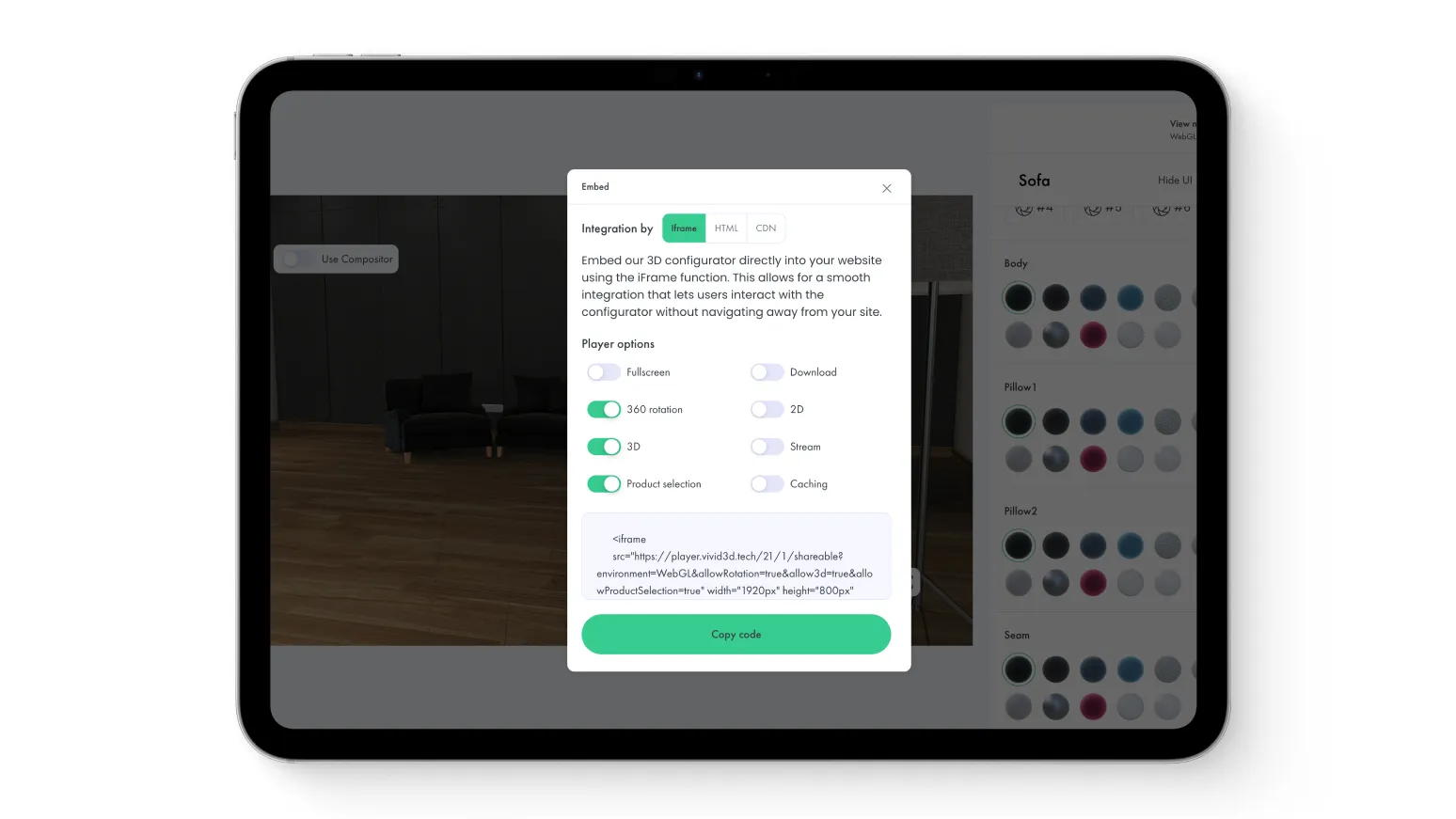
Deliver the configurator through Vivid.Player, a web application, product page, dealer portal or sales tool, and reuse the same product definition for Vivid.Studio, rendering and selected simulation workflows.

Why Vivid 3D

More than a customer-facing configurator. A connected platform for product logic, visual data and scalable output.
Fast to Launch
Start with one product family or focused configuration journey, then expand as the catalogue grows, reusing existing product data and 3D assets with implementation support from the Vivid 3D team.
Handles Complex Products
Support large option sets, conditional choices, compatible components, multi-product bundles and guided configuration journeys, connecting visual product logic with commerce, quoting and downstream operational systems.
Secure and Reliable
Deliver the configurator inside your existing website or application and keep control over product data, integrations and customer experience, with project-specific access and deployment options per implementation.

3D Product Configurator Case Studies

See how brands use visual configuration, product rules and scalable content workflows to simplify
complex product choices.

Use Cases by Industry

eCommerce & Retail

Product models, renders and variants for pages and catalogues
eCommerce & Retail
Explore

Furniture & Homeware

 Collections, materials, lifestyle renders, configurable options
Furniture & Homeware
Explore

Manufacturing & Industrial

CAD-derived models, technical assets, sales content
Manufacturing & Industrial
Explore

Robotics & Physical AI

Objects, environments and training assets for visual AI
Robotics & Physical AI
Explore

FAQ

What is a 3D product configurator?

A 3D product configurator is interactive software that lets customers select product options and see the result update in real time. It can support colours, materials, sizes, components, accessories and complex product combinations.

How does a 3D configurator work?

The configurator connects a 3D product model with options, variants and configuration rules. When a customer makes a selection, the visual experience updates the model and validates the selected combination.

What is CPQ and how does it fit in?

CPQ stands for Configure, Price, Quote. A 3D configurator manages the visual product selection, while a connected CPQ system validates commercial rules, calculates pricing and generates a quote. Vivid.Build connects visual configuration with external pricing, quoting, commerce and CPQ workflows through APIs and custom integrations.

Can I connect the configurator to my eCommerce platform, including Shopify?

Yes. A Vivid 3D configurator can be embedded into an eCommerce experience and connected with products, variants, carts and checkout, including Shopify through an embed or custom storefront integration. The exact implementation depends on the platform and product-data structure.

Does the configurator support complex or engineer-to-order products?

Complex products can be supported through structured options, dependencies, valid combinations and guided configuration logic. Integration with engineering, CPQ or ERP systems depends on the required workflow.

Can I embed the 3D configurator on my website?

Yes. The experience can be delivered through an iframe, JavaScript integration, API-driven application or custom web implementation, on desktop, tablet and mobile browsers.
Need training data
or visual data at scale?