Augmented Reality in Ecommerce: How It Works and Why It Sells
Augmented Reality in Ecommerce: How It Works and Why It Sells
Realtime 3D, Web & AR
8 min
Technical blogger
Diego Santos
Updated:
August 5, 2026
Posted:
August 5, 2026
AR in ecommerce lets a shopper point their phone camera at a room and see your product standing in it, true to scale, before they buy. No app download in most cases, no showroom visit. Just a "View in AR" button on the product page. The technology has quietly moved from gimmick to revenue driver: when fashion brand Rebecca Minkoff added 3D and AR to product pages, visitors who interacted with a product in AR became 65 percent more likely to order, according to Shopify's published data.
This guide explains what actually happens behind that button, which types of AR experiences exist, and what you need to launch one on your own store.
What Is AR in Ecommerce
Augmented reality overlays digital objects onto the real world through a camera feed. In ecommerce that means projecting an interactive 3D model of a product into the shopper's physical space: a sofa in their living room, glasses on their face, a sneaker on the floor next to them.
It differs from virtual reality in one practical way. VR replaces the world and needs a headset. AR adds to the world and runs on the phone your customer already owns. That single fact is why AR reached mainstream shopping years before VR did.
How AR in Ecommerce Actually Works
The 3D model behind every AR experience
Every AR experience starts with a 3D asset, and this is where most projects succeed or stall. The model has to look photoreal up close, because shoppers zoom in on stitching and wood grain. At the same time it has to stay light enough to load on a mid-range phone in a few seconds. That means clean geometry, compressed PBR textures, and real-world dimensions baked in, since AR places the object at true scale. A sofa modeled 3 percent too wide will lie to every customer who measures their wall against it.
Production cost depends on complexity, and it is the main budget line of any AR rollout. We broke down the numbers separately in our guide to 3D modeling prices if you want to plan the spend per SKU.
WebAR vs native apps
Early AR shopping lived inside branded apps like IKEA Place. Apps still offer the deepest experiences, but they add a brutal filter: the shopper has to install something first. WebAR removed that step, and it is now the default for ecommerce.
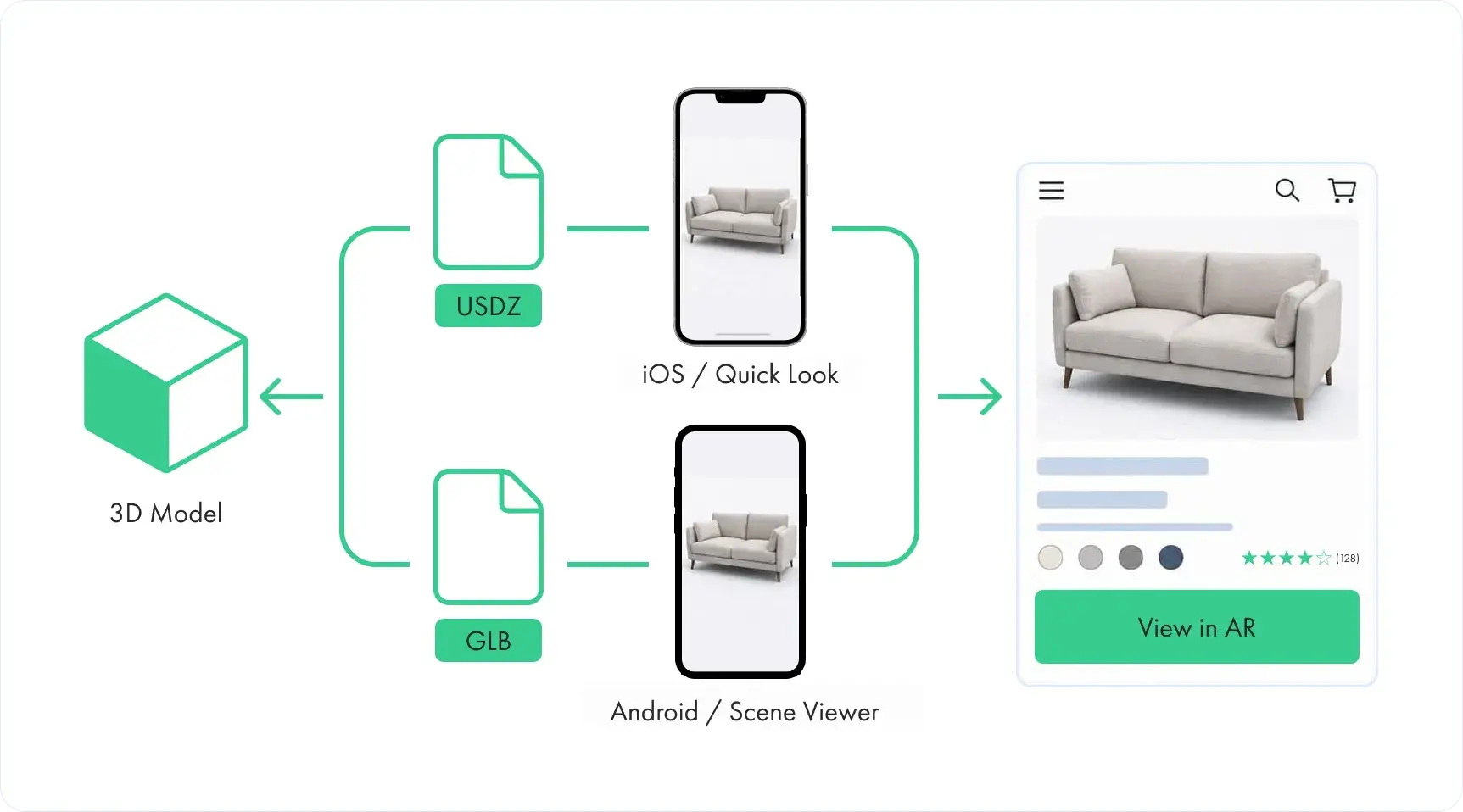
Here is the plumbing. On iPhones, Safari has AR Quick Look built in: hand it a model in USDZ format and it opens a full AR session natively. On Android, Chrome does the same through Scene Viewer with GLB or glTF files. A product page simply detects the device and serves the right format. The shopper taps a button and is placing your product in their room within seconds, still inside the browser, still one tap from checkout.
What happens when a shopper taps "View in AR"
The phone's camera starts, and the AR framework scans the scene for flat surfaces: floor, table, wall. Simultaneously it tracks the phone's motion sensors to understand where the device sits in space. Once a surface is found, the 3D model is anchored to it at physical scale, lighting estimation matches the object's shading to the room, and the shopper can walk around the product as if it were there. All of this runs on-device in real time, which is exactly why model optimization matters so much.
Types of AR Experiences in Ecommerce
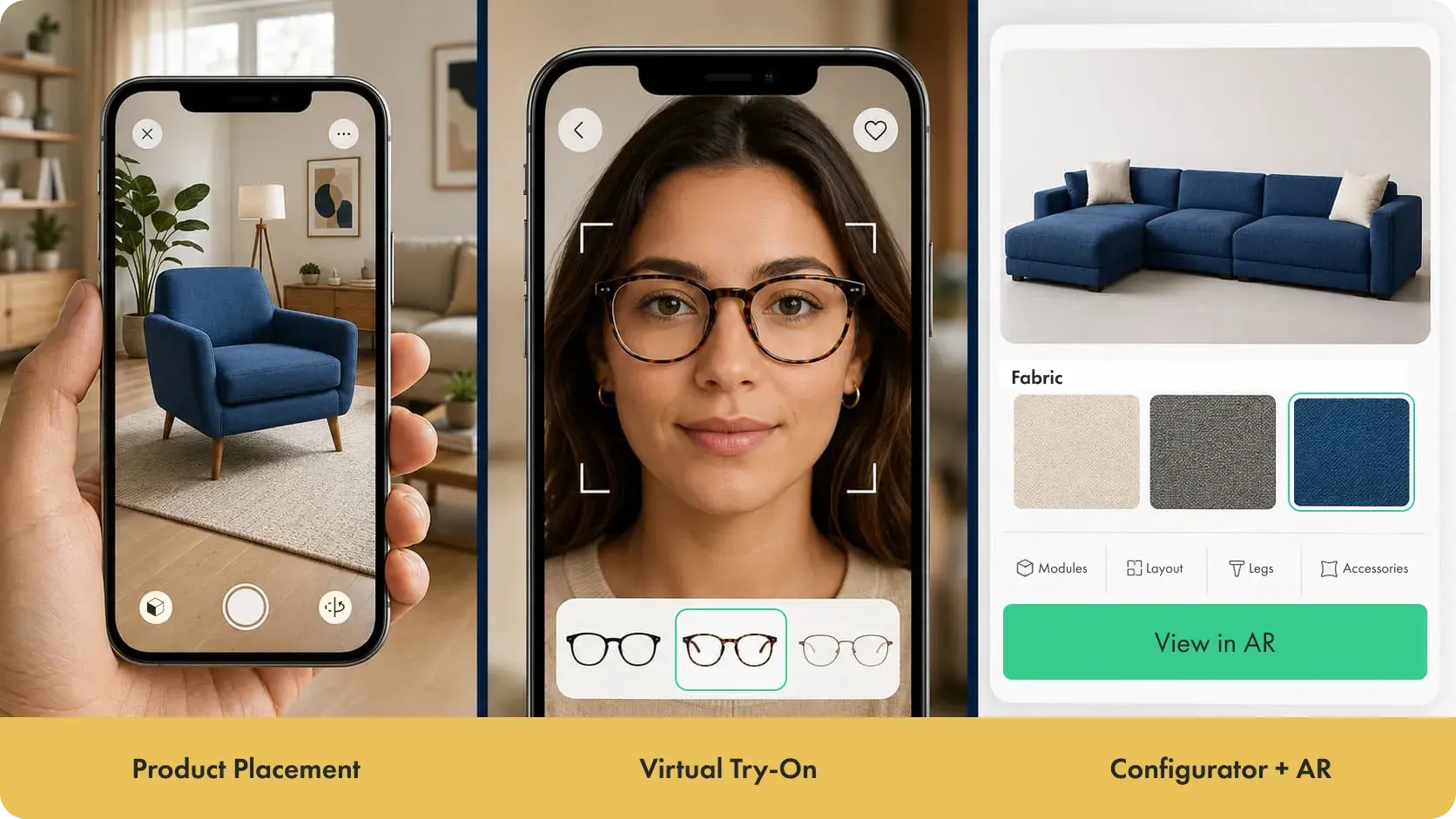
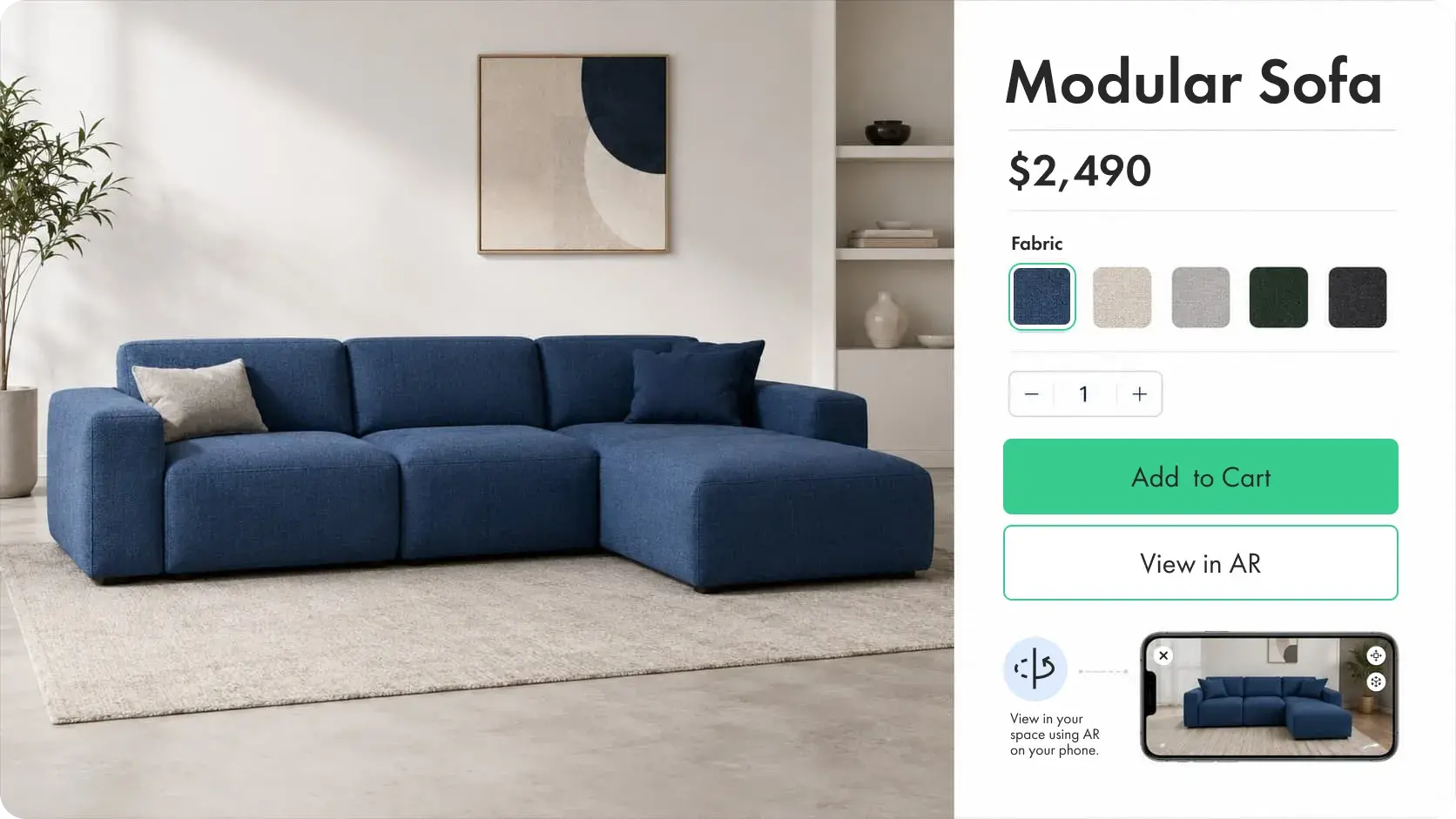
Product placement is the workhorse: furniture, appliances, decor, anything where "will it fit and match" blocks the purchase. Virtual try-on covers products worn on the body, from Warby Parker's glasses to lipstick shades, using face tracking instead of surface tracking. A third type is gaining ground in configurable categories: the shopper customizes a product first, picking fabric, finish, or size in a 3D product configurator, then views exactly that variant in AR. For made-to-order furniture or windows and doors, this pairing answers the two questions that kill conversions: "how will my configuration look" and "will it fit my space."
There is also marketing-layer AR, like branded social filters and packaging that comes alive through a phone camera. It drives engagement more than direct sales, so treat it as a campaign tool rather than core infrastructure.
What AR Does for Conversion, Returns, and Engagement
The numbers from live deployments are consistent in direction. Shopify's data on Rebecca Minkoff showed shoppers were 44 percent more likely to add an item to cart after interacting with a 3D model. Gunner Kennels, selling large dog crates where size doubt is the main objection, saw a 40 percent lift in order conversion and a 5 percent drop in returns after adding AR. UK sofa retailer DFS reported a 112 percent conversion lift for visitors who engaged with 3D and AR versus those who did not.
Returns deserve special attention. A large share of ecommerce returns trace back to "not as described" or wrong size expectations. AR attacks both causes at once by showing the real product at real scale in the real room. For bulky items with expensive reverse logistics, the return reduction alone can pay for the 3D content.
The audience is ready for it, too. Snapchat found that 93 percent of its users are interested in using AR for shopping, and that generation is moving into its prime spending years.
Real Examples: Who Does AR Well
IKEA Place set the pattern for space visualization: scan the room, drop true-to-scale furniture into it, walk around. Warby Parker made AR try-on a natural part of buying glasses, feeding the result straight into the cart. DFS put more than 10,000 sofa configurations into web-based AR and tied the experience directly to product pages rather than a separate app. The common thread is not the technology showcase. In each case AR answers a specific pre-purchase doubt, sits one tap from the buy button, and covers the catalog at scale instead of three hero products.
How to Add AR to Your Store Step by Step
First, get 3D models of your products. This is 80 percent of the work. You can commission them from a studio, convert CAD files from manufacturing, or photoscan physical samples. Whatever the source, every model needs an AR-ready export: USDZ for iOS and GLB for Android, optimized to load fast on mobile.
Second, put those assets somewhere manageable. Once you pass a few dozen SKUs with variants, file chaos becomes the hidden cost, so teams centralize models, textures, and renders in a 3D asset library where each product's formats and versions live together.
Third, embed a 3D viewer on your product pages with an AR launch button, and wire up device detection so iPhones get Quick Look and Android gets Scene Viewer. We covered the implementation details, including the no-code paths, in our guide on how to implement AR on a website.
Finally, measure. Track AR engagement as an event, compare conversion and return rates for engaged versus non-engaged sessions, and expand from a pilot category to the full catalog based on what the data says.
What It Costs and How Long It Takes
For a typical product catalog, plan the budget around three components. The 3D content runs anywhere from about $50 to over $1,000 per SKU depending on complexity and volume discounts. The viewer and AR delivery come either as a platform subscription or a modest development task if you assemble it from open components like model-viewer. Integration and QA across devices usually take days, not months, because the heavy lifting happens in the browser's native AR stack.
A pilot with 10 to 20 products is realistic within a few weeks. That is usually the right scope: enough to produce clean before-and-after data, small enough that model quality gets real attention.
AR in ecommerce stopped being a novelty the moment browsers learned to run it natively. What separates stores that profit from it is unglamorous: accurate, optimized 3D models, AR buttons on every relevant product page, and honest measurement. Get those right and the technology itself is the easy part.
Frequently Asked Questions
What is AR in e-commerce?
AR in ecommerce is technology that lets shoppers project interactive 3D models of products into their physical environment through a phone camera. It is used to preview furniture in a room, try on glasses or makeup, and inspect products from every angle before buying.
What is AR in retail?
In physical retail, AR powers smart mirrors, in-store navigation, and interactive displays. In online retail it mostly means product visualization and virtual try-on on product pages. Both aim at the same goal: letting the customer evaluate a product as if it were in front of them.
What types of AR are used in ecommerce?
The main types are product placement (viewing items at true scale in your space), virtual try-on (face and body tracking for glasses, apparel, and beauty), configurator-linked AR (viewing a customized product variant), and marketing AR such as branded filters and interactive packaging.
Does AR increase ecommerce sales?
Deployment data says yes for categories where fit, size, or appearance doubts block purchases. Published results include a 65 percent higher order likelihood after AR interaction at Rebecca Minkoff and a 40 percent order conversion lift at Gunner Kennels. Results depend heavily on 3D model quality and how visible the AR option is on the product page.