NVIDIA Inception Program Member

CAD to Computer Vision Training Data

Our 3D team manually turns CAD source material into polygonal assets, with production managed in Vivid Manage. The finished models are then used in Unreal Engine simulations to create labeled synthetic training data.

Put Your Existing CAD Library to Work

Engineering teams spend years building detailed CAD libraries. Yet when companies start developing computer 
vision applications, they often collect and label new images instead of using the 3D models they already have.
CAD Models Aren't Built for Simulation
Raw CAD files often need geometry cleanup, material preparation, correct scale, and semantic metadata before they can be used to generate reliable training data.
Engineering and AI Workflows Don't Connect Easily
Moving from CAD files to labeled datasets requires both 3D production and machine learning expertise. Most companies have separate teams and tools for each.
Real-World Data Is Difficult to Scale
Collecting and labeling photographs takes time, especially when models need to recognize hundreds of product variations, rare defects, or objects in challenging conditions.
The 3D team prepares polygonal assets manually, coordinates production and approvals through Vivid Manage, and then uses the finished models in Unreal Engine simulations.

What's Included

Source File Review by the 3D Team
Share CAD source files, engineering assemblies or existing models with the 3D team. Specialists assess and process them manually. Vivid Manage coordinates the work rather than automatically converting CAD files.
Geometry & Material Validation
The 3D team reviews geometry, hierarchy, scale and material information and manually prepares the polygonal models.
Models are reviewed and prepared before entering the simulation pipeline.
Manual Preparation of Polygonal Assets
Specialists manually process engineering source material into polygonal assets and prepare the scale, materials and other properties required by the agreed Unreal Engine simulation.
Once prepared, the assets can be reused across multiple datasets and computer vision projects.
Synthetic Dataset Design
Create training scenarios with different lighting, camera angles, backgrounds, object positions, occlusion, clutter, weather, and sensor noise. Domain randomization helps cover real-world conditions and unusual edge cases that are difficult to capture through physical data collection. Learn more: Synthetic Data for Computer Vision.
Automatic Ground Truth Labels
Generate annotations directly from the 3D scene without manually labeling every image. Available label types include:
- 2D and 3D bounding boxes; - Semantic and instance segmentation masks; - Depth maps. This makes it easier to produce consistently labeled datasets at scale.
Multi-Format Export
Export synthetic datasets in COCO, KITTI, YOLO, or custom formats that fit your existing machine learning pipeline.
Vivid 3D supports dataset storage and versioning. API-based dataset delivery can be implemented on request.
Depending on the project, datasets can include RGB images, depth and LiDAR data.

Computer Vision Applications

CAD-based synthetic data can support a wide range of AI applications in manufacturing, 
robotics, and industrial automation.
Object Detection & Classification
Train models to recognize and identify products, spare parts, components, and obstacles.
Semantic & Instance Segmentation
Generate pixel-level labels to distinguish objects, individual components, and surfaces within a scene.
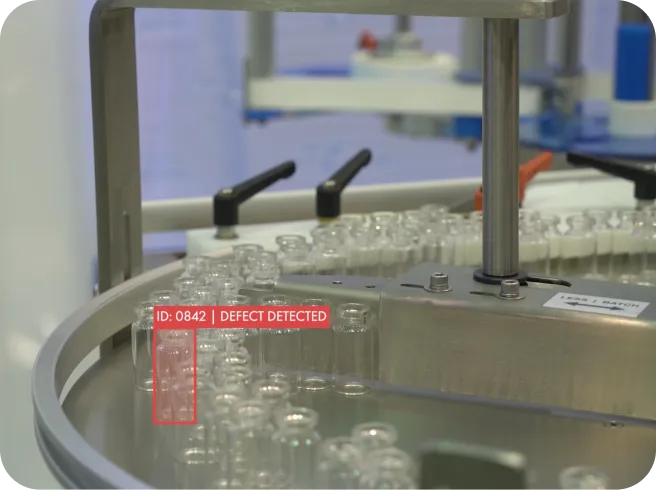
Manufacturing Defect Detection
Create training examples of scratches, cracks, missing components, and assembly errors. Synthetic datasets are especially useful when real defects are rare or difficult to photograph. Defect appearance must be modeled and checked against real inspection requirements.
Inspection line with glass vials and a detected defect label
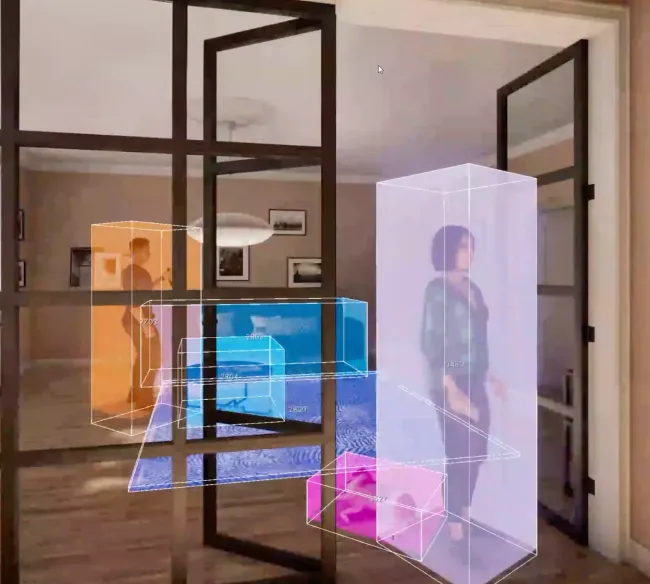
Office scene with glass doors and 3D bounding boxes for navigation
Scene & Navigation Understanding
Prepare visual training data for autonomous robots and industrial systems that need to recognize objects, navigate environments, and avoid obstacles.
Depth & Multi-Sensor Perception
Combine RGB images with depth and LiDAR data according to the project's requirements.

Powered by the Vivid 3D Visual Data Platform

Step 1  Source Review and Production Planning
Share source files with the 3D team for review. Tasks, feedback, revisions and approvals are managed through Vivid Manage.
Source review interface illustration
Step 2  Manual Asset Preparation for Unreal Engine
The 3D team manually prepares polygonal models, materials, scale and the properties required by the project. Finished models are then taken into Unreal Engine for simulation.
Asset preparation interface illustration
Step 3  Scenario & Domain Randomization Design
Define the conditions your model needs to recognize. Choose camera positions, lighting, backgrounds, object variations, occlusion, and relevant edge cases.
Scenario design workflow illustration
Step 4  Generation & Automatic Labeling
Vivid 3D renders the scenes and generates corresponding ground truth labels from the underlying 3D data.
Rendering and labeling illustration
Step 5  Export & Delivery
Receive a labeled, versioned dataset in COCO, KITTI, YOLO, or a custom format, ready for integration into your training pipeline.
Dataset export illustration
Need help beyond dataset generation? Vivid 3D also offers Computer Vision as a Service, including model training, testing, and validation.

More Than Synthetic Data Generation

Vivid 3D combines synthetic data generation with tools for creating, managing, and reusing 3D content. The same 
asset library can support computer vision training, product visualization, rendering, and interactive applications.
3D Content Workflow Management
Manage 3D production from source files to approved assets. Keep tasks, reviews, feedback, and revisions organized across teams.
Vivid 3D Manage Library
Store, search, version, and reuse 3D models, 2D content, and synthetic dataset resources in one place.
Configuration & Rendering Engine
Use the platform's rendering and configuration capabilities to create product variations, realistic images, and interactive 3D experiences.
AI-Assisted 3D Asset Creation
When CAD models are missing or incomplete, AI-assisted tools and 3D production workflows can help create and optimize additional assets from available references.

Example Application

Request a Sample Dataset
CAD-Based Spare Part Recognition
The Need
A manufacturer has hundreds of mechanical components in its CAD library and wants to build an AI application that identifies spare parts from customer photographs.
Taking and labeling photographs of every component under different conditions would take considerable time.
The Workflow
The 3D team manually prepares polygonal models from the CAD sources, coordinating production through Vivid Manage. Finished models are then used in Unreal Engine scenes with variations in lighting, camera position, background and object orientation. Each image is labeled with the relevant part information and exported as a training dataset. The dataset can then be used to develop an object recognition model and evaluate its performance against real photographs.
The Outcome
The manufacturer has a reusable dataset generation process that can support spare part identification and expand as new products are added.

Why Choose Vivid 3D?

One Partner from CAD Preparation to Computer Vision Training Data

An Alternative to Building Everything In-House

Developing a CAD-to-simulation pipeline requires specialized engineers, tools, and ongoing maintenance.
Vivid 3D provides a managed alternative without requiring you to build every component internally.

Beyond Traditional 3D Outsourcing

A 3D agency may deliver converted or optimized models.
Vivid 3D can take those assets further, generating labeled datasets and supporting computer vision model development.

Instead of Managing Multiple Synthetic Data Tools

General-purpose simulation platforms offer powerful capabilities, but asset preparation, scenario setup, and integration can still require significant work.
Vivid 3D brings these steps into a connected production workflow.

Less Dependence on Real-World Data Collection

Synthetic data helps generate object variations, rare scenarios, and edge cases without arranging a new photoshoot for every condition.
Real images remain important for validating how the trained model performs in practice.

How Engagement Works

Most projects begin with a small pilot using a handful of CAD models or assemblies.

We review your assets, discuss the computer vision task, prepare the required 3D content, and generate an initial dataset. If model validation is included, the generated data can be tested against real-world examples before expanding to a larger dataset.

You can engage Vivid 3D for CAD conversion and synthetic data generation alone or extend the project to include AI model training and validation.

Pricing depends on asset complexity, dataset volume, annotation requirements, and the services involved.
Talk to Vivid 3D
Share your CAD
Models or requirements
We build your dataset
Render · Vary · Label
Review together
Refine against your use case
Train with confidence
Ready-to-use vision data

FAQ

Which CAD source formats can the 3D team work with?

CAD files are source material for manual work by the 3D team. Vivid Manage is used to manage production; it does not automatically import or convert CAD files. The team confirms whether it can process your source format before work begins.

Do we need existing 3D assets to get started?

No. CAD files are enough to begin assessing a potential workflow. If some models are missing, Vivid 3D can also help create and optimize 3D assets using reference materials and AI-assisted production tools.

Is our proprietary CAD data secure?

Data protection and intellectual property requirements can be discussed before sharing proprietary engineering files.

How is Vivid 3D different from other synthetic data providers?

Vivid 3D combines CAD preparation, simulation-ready asset creation, synthetic data generation, and optional computer vision model development.
Instead of managing separate providers for each stage, teams can work through a connected process with one partner.

How long does it take to go from CAD files to a usable dataset?

It depends on the complexity of the CAD models, the simulation requirements, and the dataset size.
A small pilot is a practical way to establish the preparation effort and expected production timeline.

Can the datasets integrate with our existing ML pipeline?

Datasets can be delivered in COCO, KITTI, YOLO or a custom format, with storage and versioning. API-based dataset delivery can be implemented on request.
Specific schemas and integration requirements are agreed upon during project scoping.

Can Vivid 3D help train our computer vision model?

Yes. Through Computer Vision as a Service, Vivid 3D can support model training, testing, and validation in addition to synthetic dataset generation.

Do we still need real-world data?

Usually, yes. Synthetic data helps cover large numbers of variations and situations that are difficult to capture physically.
Real-world images remain important for testing model performance and understanding how well the training data represents actual conditions.
Combining both is often the most practical approach.
YOUR CAD LIBRARY IS THE STARTING POINT

Turn the assets you own
into the data your AI needs

Start with a few CAD files and explore a practical path to labeled
synthetic training data.
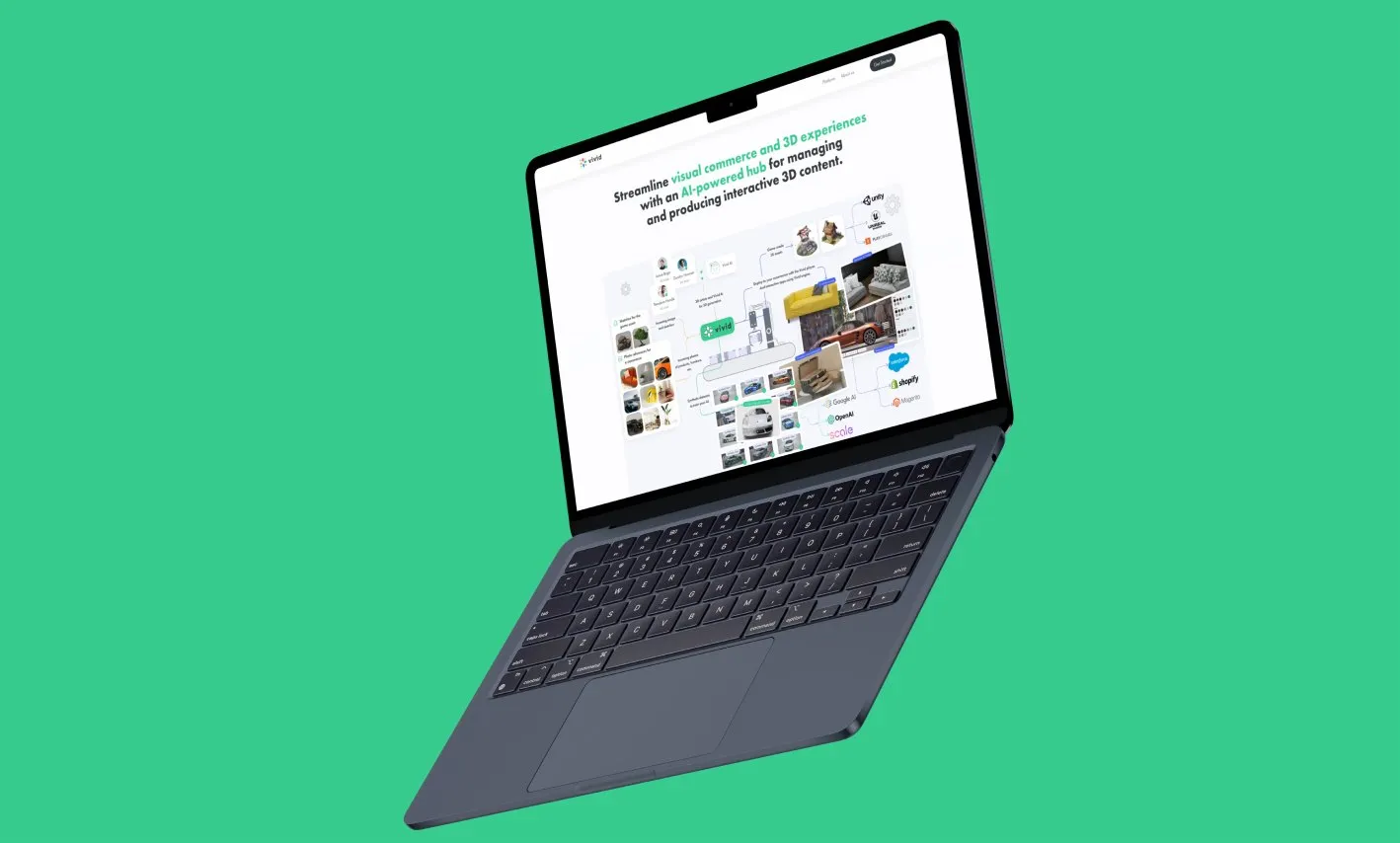
Vivid 3D platform shown on a laptop